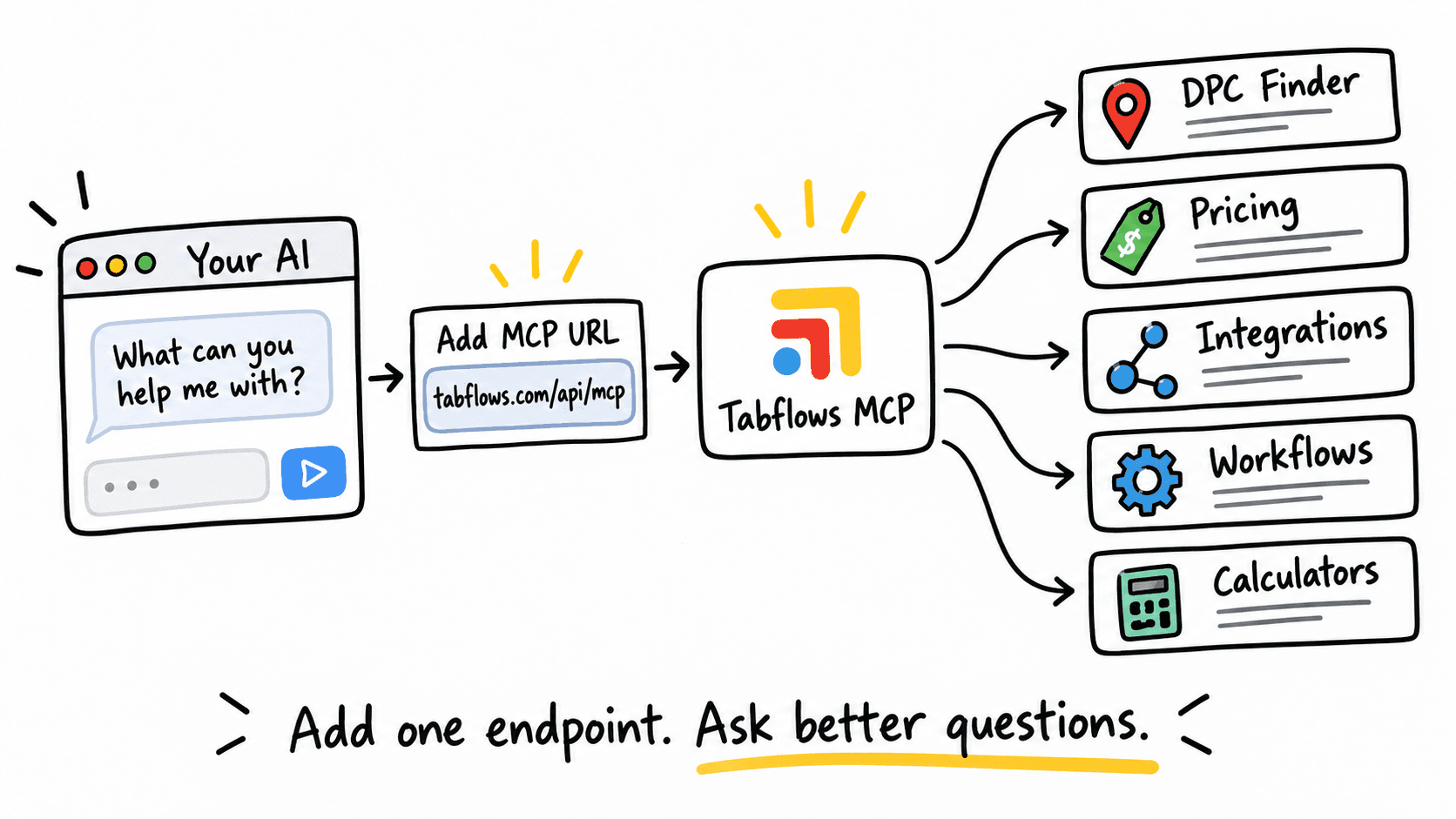
Add the Tabflows endpoint
Tabflows now has a public MCP server:
https://www.tabflows.com/api/mcp
If your AI tool supports remote MCP servers, you can add Tabflows as a tool source and let your agent ask Tabflows questions directly. You can also read the human-facing Tabflows MCP page.
The practical part is what your AI can now do with it.
What the server exposes
The Tabflows MCP server currently includes tools for:
- searching the DPC Finder
- reading individual DPC practice listings
- quoting Tabflows pricing from the current pricing tool
- listing Tabflows integrations
- reading integration details
- listing documented Tabflows workflows
- searching tabflows.com
- fetching public Tabflows pages
- getting demo and sign-up links
- running DPC break-even math
- estimating DPC startup costs
In normal-person terms:
Your AI can now understand Tabflows, DPC clinics, workflows, integrations, and practice economics without guessing from random web pages.
Prompts worth trying
Find DPC practices in Austin, Texas, and summarize the local market.What workflows does Tabflows support that would help a clinic reduce follow-up chaos?Quote Tabflows pricing for a clinic with 2 locations and 1,200 monthly paying patients.Find Tabflows integrations related to communication and explain how they fit into clinic operations.Estimate the break-even member count for a DPC charging $85/month with $32,000 in monthly overhead.Search tabflows.com for compliance and summarize the relevant pages.
Ask the agent to use the tools
The big rule: use the tools.
Do not ask your AI to "remember" Tabflows pricing from a random answer. The MCP server includes a pricing tool so the agent can use the current rule instead of stale numbers.
Do not ask your AI to scrape the DPC Finder if it can call the DPC Finder tool directly.
Do not ask it to infer workflows from marketing copy if it can list documented workflows.
That is the point of MCP.
It turns Tabflows from a website your agent reads into a system your agent can query.
Better context for clinic work
For clinic owners, that means faster research.
For builders, that means cleaner context.
For AI agents, that means cleaner answers and less guessing.
Tabflows is still not an EHR.
The EHR remains the clinical record.
But the work around the record - follow-ups, handoffs, patient requests, forms, faxes, tools, and admin loops - needs a better operating layer.
The MCP server is one more way to make that layer available.