
Can the Spruce Invite, Scheduling Link and Records Release Go Out Automatically After a Hint Signup?
Partly on their own, and fully with a little help. When a new member signs up and is confirmed in Hint, the Hint and Spruce integration can create the patient's Spruce contact and automatically send them a text invitation to Spruce, which Hint and Spruce both document. The scheduling link and the records-release paperwork are not part of that integration, so they need a second step, such as a saved or scheduled Spruce message, a custom build on the Spruce API, or a service that prepares those messages for your team. The check a day later is the piece no single tool does for you, because it means looking at Spruce, your scheduler and your form tool together to see whether the patient accepted the invite, booked and signed. Tabflows is a dedicated tech team that sets up exactly this kind of onboarding flow across Hint, Spruce and your EHR, preparing the welcome, scheduling and intake follow-up for your team to review, and turning the next-day check into a tracked task.
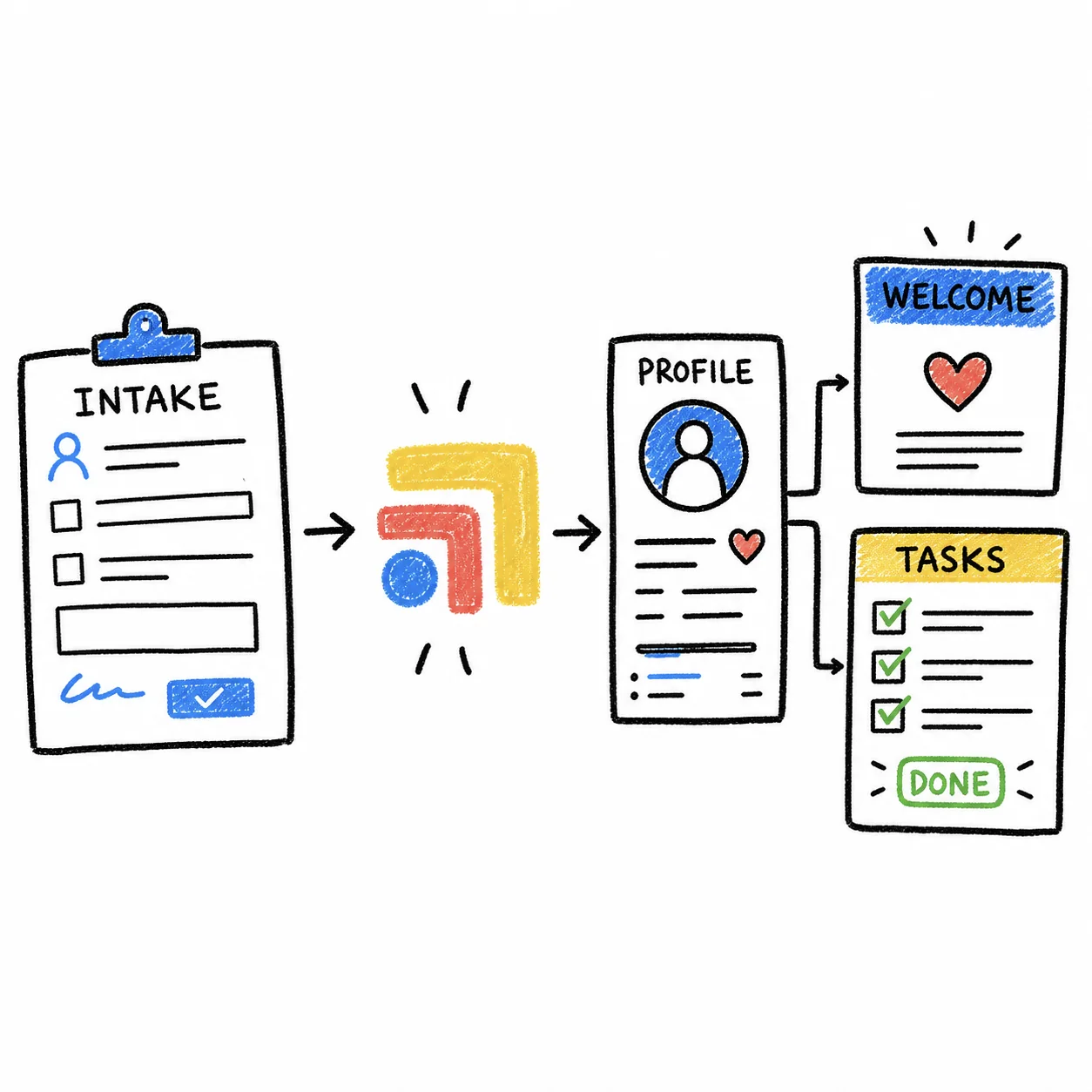
For a solo DPC, the first week after signup is when a new member decides whether joining was the right call. A quick, warm welcome with everything they need in one place feels like the personal care they signed up for. A slow one usually isn't anyone's fault. It's what happens when membership billing, messaging, scheduling and forms live in tools that were never built to talk to each other. Below is what each tool does on its own, how to fill the gaps, and how to build the one-day check.
Every Hint, Spruce and Cognito Forms fact on this page was checked on the vendor's own site on November 2, 2026. Integrations change, so confirm details with each vendor before you set anything up.
What Happens Automatically When a Member Is Confirmed in Hint?
Hint is where the membership begins. Hint's developer documentation explains that every practice gets signup pages out of the box, and that a membership is made up of a patient, a plan and usually a payment method on the owner. Once that membership exists, the Hint and Spruce integration takes over the first handoff.
According to Hint's support article and Spruce's help center, the integration does the following.
- Creates the Spruce contact. When a new patient is created in Hint, a matching contact is created in Spruce, and if the person texted or called before joining, the existing contact is updated rather than duplicated.
- Syncs demographics both ways. Name, phone number, email, date of birth and gender stay in step between Hint and Spruce, and Spruce notes that this is on by default.
- Applies tags. Hint's provider, membership, location, group, employer and plan tags sync to the contact and conversation by default.
- Opens a conversation. You can choose to create no conversation, a standard phone conversation (the default) or a note conversation for each new patient.
- Sends the invite. After the initial import, you can configure the integration to automatically send text message invitations to Spruce for new patients.
Spruce's help center says this integration is available on the Spruce Communicator plan, and that the Spruce team finishes the connection within one to two days after you link the accounts in Hint's marketplace. So the Spruce invite part of the question is a yes, as long as you're on that plan and the auto-invite setting is turned on.
What the Integration Doesn't Cover
Neither Hint's nor Spruce's integration article describes sending a scheduling link, a records-release form or any intake paperwork, and neither describes a follow-up check. That leaves three jobs for your team or your tech setup.
- Spruce contact and tags. Automatic with Hint and Spruce? Yes. How to fill the gap: Built in.
- Spruce invite text. Automatic with Hint and Spruce? Yes, when enabled. How to fill the gap: Built in.
- Scheduling link. Automatic with Hint and Spruce? No. How to fill the gap: Saved message, API or Tabflows.
- Records-release form. Automatic with Hint and Spruce? No. How to fill the gap: Form or e-sign tool link.
- Check a day later. Automatic with Hint and Spruce? No. How to fill the gap: Task, form reminders or automation.
How to Send the Scheduling Link and Records Release Automatically
There are three realistic ways to get the next two messages out without someone typing them from scratch each time.
1. A saved or scheduled Spruce message your team sends
The lightest option is to write one welcome message that includes your scheduling link and the link to your records-release form, save it in Spruce, and have whoever runs onboarding send it as soon as the new conversation appears. This is not fully automatic, but it takes seconds and keeps a person in the loop for the first real hello. Spruce's API also supports scheduled messages in a conversation, which a developer can use to queue the same message for a set time.
2. A custom build on the Spruce API
Spruce's API can send a patient invite with a custom message of your choosing, and Spruce documents that inviting a contact for the first time creates a new secure conversation. Spruce also publishes webhooks that fire when a contact is created or updated and when a conversation or message is created. Put together, a developer can listen for the new contact that the Hint integration creates, send the invite with your welcome text, then post a follow-up with the scheduling link and records-release link. Spruce's API access is requested through Spruce Support, and the code needs a home, a BAA with whoever hosts it and someone to keep it running.
3. Tabflows preparing the onboarding for your team
Tabflows' new patient onboarding workflow starts from a new Hint membership. When someone on your team starts it from the Hint member record, Tabflows prepares the Elation chart fields, drafts the Spruce welcome message and the right intake forms, gathers scheduling context so the clinic can offer open slots, and stages a task for whoever runs onboarding. Everything lands ready to check and send, so the clinic stays in charge of what goes to the patient. Tabflows also runs a scheduling-link outreach automation on Spruce that sends scheduling links to patients due for follow-up, using your clinic's own booking rules.
For the records release itself, use whatever HIPAA-ready form or e-signature tool you already trust and send a link to it. Our patient onboarding software guide compares the options, with BAA status checked on each vendor's site.
How to Check a Day Later That the Patient Finished
This is the step most practices care about most, because a member who never accepted the invite or never signed the release is the one who calls in three weeks wondering why nothing happened. A good next-day check answers three questions.
- Did they accept the Spruce invite? Spruce's contact data includes whether a contact has a Spruce account and whether an invite is still pending, and the API can read both, so this can be checked automatically.
- Did they book the welcome visit? That lives in your scheduler or EHR, so the check has to look there.
- Did the records release come back signed? That lives in your form or e-signature tool.
Some form tools handle the third question on their own. Cognito Forms, for example, documents a setup where unfinished forms saved with its Save & Resume feature show up as tasks with due dates, and task reminder emails send up to three scheduled notifications with a link back to the saved entry. Cognito notes that requiring sign-in for those links uses guest access, which selected paid plans include in limited numbers, with additional guests starting at $25 a month. Form reminders only cover the form, though, and won't tell you whether the patient booked or joined Spruce.
The simplest reliable version for a solo DPC is a task. When the welcome message goes out, a task is created for the next day that lists the three checks, and whoever owns onboarding works through it with the answers in front of them. If everything is done, the task closes. If something is missing, a friendly nudge goes out in Spruce and the task moves forward a day. In Tabflows, the onboarding workflow already stages a task with the patient context for whoever runs onboarding, and our team sets up the next-day check to your clinic's own rules, so nobody has to remember which members signed up yesterday.
Is This HIPAA-Safe?
Spruce says every eligible organization automatically agrees to its Business Associate Agreement at signup, with no separate agreement or fee. Spruce also explains that secure messages exchanged inside the Spruce app stay with Spruce, while standard SMS, email and phone leave Spruce's control and can still be used in a HIPAA-compliant manner if handled carefully. That's one more reason the Spruce invite matters, since it moves the new member onto secure messaging early. Your form or e-signature tool and any developer or service that touches patient data each need their own BAA. Signing in to Tabflows puts your clinic under the Tabflows BAA, and Tabflows never stores your EHR passwords.
Where Tabflows Fits
Tabflows is not an EHR, not a billing system and not a messaging replacement. Hint keeps the membership, Spruce keeps the conversation, and your EHR keeps the chart. Tabflows is the dedicated tech team and smart admin layer between them, working inside the Hint and Spruce accounts you already use, with nothing to migrate.
For onboarding, that means a new Hint membership turns into a prepared welcome in Spruce, a scheduling handoff, intake follow-up and a tracked task for the next-day check, all waiting for your team to review and send. It frees the time a solo DPC would otherwise spend copying details between tabs, and it makes sure every new member gets the same warm start, which is what keeps them around and telling their friends. If you want a checklist of everything a strong first two weeks should include, our new member onboarding checklist covers it.
A Practical Next Step
Start with what's already available. If you're on the Spruce Communicator plan, turn on the Hint integration's automatic invitations so every confirmed member gets a Spruce invite without anyone lifting a finger. Then write one welcome message with your scheduling link and records-release link, and decide who owns the next-day check. When you're ready to have the rest prepared for you, tell us about your practice and we'll show you how the onboarding flow would look with your tools.
Sources
Checked on November 4, 2026: cognitoforms.com/support/839/how-to-guides/automate-reminders-for-incomplete-form-submissions. Spot a wrong fact? Email a correction.
FAQs
Does Hint automatically send new members a Spruce invite?
It can. Hint's support article on the Spruce Health integration says that when a new patient is created in Hint, a matching contact is created in Spruce, and once the initial import is complete you can configure the integration to automatically send text message invitations to Spruce for new patients. Spruce's help center says the Hint integration is available on the Spruce Communicator plan.
Can the Hint and Spruce integration send a scheduling link or records-release form?
Not on its own, based on what Hint and Spruce document. The integration syncs demographics and tags, creates the contact and can open a conversation and send the invite. The scheduling link and the records-release paperwork need a second step, either a saved or scheduled Spruce message your team sends, a custom build on the Spruce API, or a service like Tabflows that prepares those messages for your team.
How do I check a day later that a new patient finished their onboarding paperwork?
Something has to look at three places at once, whether the patient accepted the Spruce invite, whether they booked, and whether the records release came back signed. Spruce's API exposes whether a contact has an account or a pending invite, your scheduler shows the booking, and your form or e-signature tool shows the signature. A form tool with built-in reminders, like Cognito Forms, can nudge unfinished forms, but the cross-check across tools is usually a task someone owns or an automation built for it.
Can I build this myself with the Hint and Spruce APIs?
A developer can. Hint's API exposes patients and memberships, and Spruce's API can send an invite with a custom message, schedule a message in a conversation and send webhooks when contacts and conversations change. Someone still has to host the code, keep API keys safe, sign a BAA and maintain it when either vendor changes something.
Is it HIPAA compliant to send a records-release form by text?
Spruce says every eligible organization agrees to its BAA at signup and that secure messages inside the Spruce app stay within Spruce. Standard SMS leaves Spruce's control, so Spruce recommends using standard channels carefully. Many practices send a link to a HIPAA-ready form or e-signature tool rather than the form itself, and that tool needs its own BAA.