
Can a task be created automatically when a referral, imaging order or lab order is entered in Elation?
Yes, a task can be created automatically when a referral, imaging order or lab order is entered in Elation, but the task is created by a tool connected to Elation rather than by the Elation chart itself. Elation's own help center describes the Dock Health integration doing exactly this, where signing a lab order or a referral in Elation generates a follow-up task in Dock Health with the patient's name and a due date. If you don't want Dock Health, Elation publishes webhooks for referral orders, imaging orders and lab orders, so a developer or a no-code healthcare platform such as Keragon can listen for those events and create the task somewhere else. Tabflows takes a different route for concierge, hybrid and DPC practices, because it doesn't watch Elation in the background. When someone on your team opens a patient's chart, Tabflows reads the recent chart activity and drafts the follow-up tasks, like chasing a lab or confirming a referral, and a person saves them.
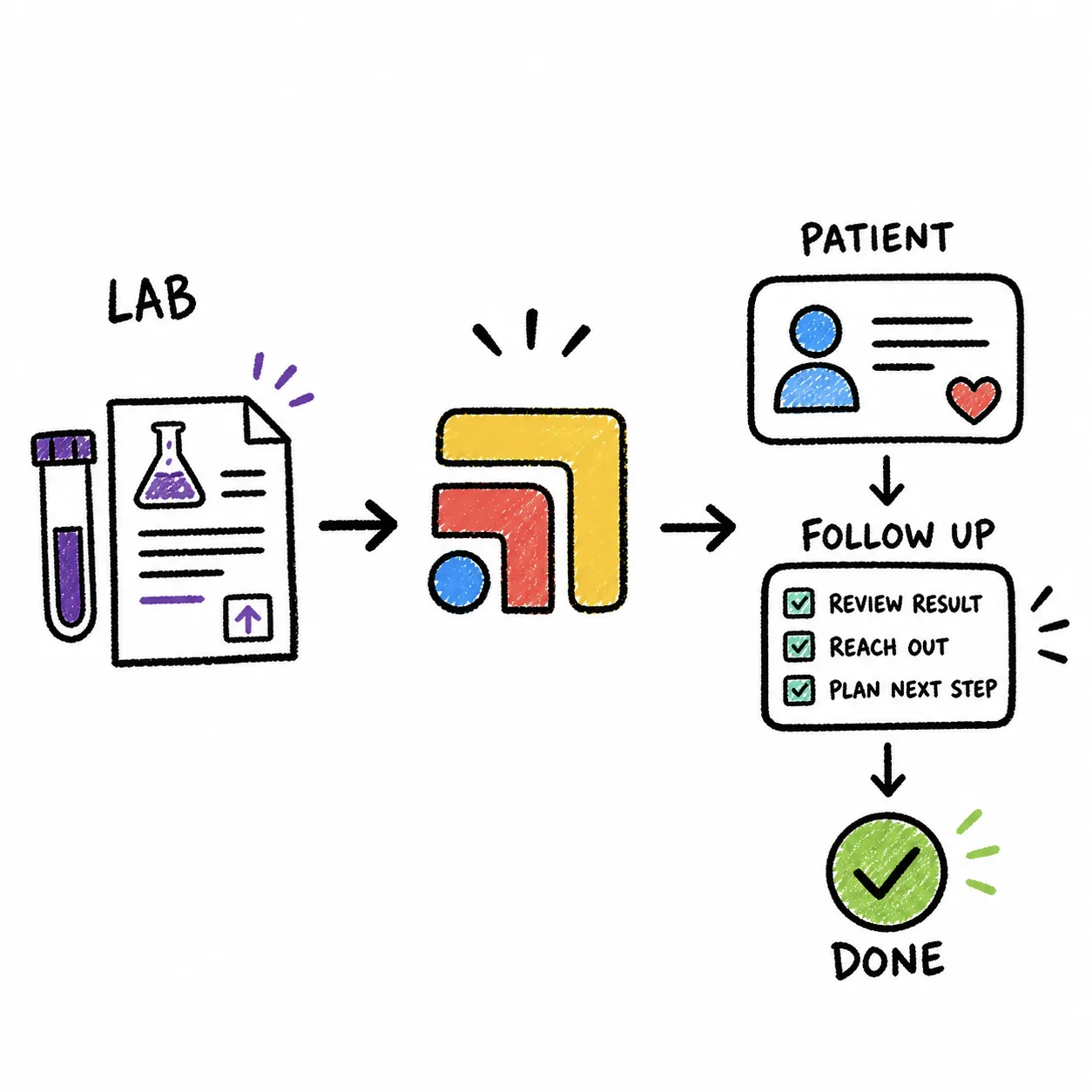
The reason this question comes up so often is that the order is the easy part. A referral goes out, an imaging order gets signed, a lab requisition prints, and then the real work starts, the part where somebody makes sure the patient got scheduled, the result came back and the specialist's note landed. Elation was built to be an excellent place to chart and order, and the follow-through usually lives in a different tool, a spreadsheet or someone's memory. That gap is where results go missing, and in a concierge practice it is also where members notice.
How Dock Health is triggered from Elation
Dock Health is a HIPAA compliant task management and collaboration platform, and it is the integration most people mean when they ask this question. Elation's integration guide says the Elation to Dock Health integration "can automatically generate follow up tasks in Dock Health after a clinical action is completed in Elation." The guide gives three common examples.
- Creating an appointment in Elation generates a task in Dock Health to send the patient visit instructions.
- Signing a lab order in Elation generates a task in Dock Health to follow up on lab results in two weeks.
- Signing a referral in Elation generates a task in Dock Health to follow up with the referred provider on the results of the consultation.
A few details matter when you compare it to other options. The integration runs one way, from Elation to Dock Health. By default only patient demographics are pushed, and insurance and appointments can be added. The task can carry details such as the lab vendor and a due date, but the order itself is not copied over. To start, Elation asks you to email integrations@elationhealth.com, and a Dock Health representative sets up custom workflows with you. Elation's guide also notes that Dock Health charges separately for its software.
Imaging orders are not one of the three examples in Elation's guide. Elation does publish an imaging order event (see the next section), so ask Dock Health on a demo whether an imaging order can trigger a task the way a lab order and a referral do.
How Elation webhooks let any tool do the same thing
Under the hood, event-driven task creation depends on Elation telling another system that something changed. Elation's developer documentation describes webhooks that let an integration "subscribe to certain events on the Elation Platform without polling" the API. When an event fires, Elation sends an HTTP POST to the URL you registered.
The supported models include the three this question is about, along with many others.
| Elation model | Webhook event name |
|---|---|
| Referral Orders | referral_orders |
| Imaging Orders | imaging_orders |
| Lab Order | lab_orders |
| Lab Order Tests | lab_order_tests |
| Appointment | appointments |
| Visit Notes | visit_notes |
| Reports | reports |
Some practical points from the same page are worth knowing before you build on it. Event subscriptions are self-service through Elation's Event Subscription API, with no support request required. Each event carries an action of saved or deleted, so whoever receives it has to decide which saves deserve a task, for example only a signed order rather than every draft. Updates made by an application don't trigger callbacks to that same application. Elation retries an event hourly for up to 24 hours when your endpoint returns a server error or doesn't answer, and it treats a 4xx response as final, so a reliable setup also uses Elation's Published Events API to catch anything it missed.
In other words, webhooks make automatic tasks possible for any tool, but someone has to own the receiving end. That person writes the rules, maps the order to a task with the right owner and due date, and keeps it running when Elation adds fields or your clinic changes how it works.
Keragon and other no-code automation platforms
Keragon is a healthcare automation platform whose Elation page says you can "build HIPAA-compliant automations that sync data across your Elation and healthcare apps," with no coding required and a connector to more than 400 tools. One of its listed templates updates non-visit notes in Elation when records change in Airtable. A platform like this is a good fit when you have someone on staff who enjoys building automations and wants to route Elation events into the task or messaging tool you already use.
Before you commit, ask Keragon which Elation events its connector can start a workflow from, and whether referral, imaging and lab orders are among them. We could not confirm the full trigger list on its public page. The same question applies to general tools like Zapier or Make, with one more step, which is confirming the vendor will sign a business associate agreement before any patient detail passes through.
Your options side by side
- What starts the task. Dock Health: Clinical action in Elation. Elation webhooks: Saved order event. Keragon: Workflow you build. Tabflows: Chart opened by your team.
- Referral and lab orders. Dock Health: Yes, in Elation's guide. Elation webhooks: Yes, both events exist. Keragon: Ask on a demo. Tabflows: Drafts from chart activity.
- Imaging orders. Dock Health: Ask on a demo. Elation webhooks: Yes, event exists. Keragon: Ask on a demo. Tabflows: Drafts from chart activity.
- Who builds it. Dock Health: Dock Health team. Elation webhooks: Your developer. Keragon: You, no code. Tabflows: Dedicated tech team.
- Where tasks live. Dock Health: Dock Health. Elation webhooks: Wherever you send them. Keragon: Tool you connect. Tabflows: Tabflows shared task list.
- Person checks first. Dock Health: Not described. Elation webhooks: Up to you. Keragon: Up to you. Tabflows: Yes, before it's saved.
How to set up automatic follow-up for orders in Elation
Whichever tool you pick, the setup goes better when the clinic decides the rules first and the software second. These steps work for Dock Health, a webhook build, Keragon or Tabflows.
- List the orders that need a follow-up. Most practices start with outside labs, imaging and specialist referrals, because those are the ones that leave the building and don't come back on their own.
- Decide who owns each kind. A lab follow-up might belong to the medical assistant, an imaging follow-up to the front desk and a referral to the care coordinator. One named owner per task keeps it from bouncing.
- Set the due date. Elation's Dock Health guide uses two weeks for lab results as its example. Imaging and referrals often need longer, and urgent orders need shorter.
- Write what "done" means. A lab task is done when the result is reviewed and the patient has heard back, not when the PDF arrives. A referral is done when the consult note is in the chart.
- Confirm the BAA. Every vendor that receives patient information from Elation needs a signed business associate agreement with your practice.
- Check the list weekly at first. Look for tasks that were created twice, orders that never produced a task and tasks with no owner, then adjust the rules.
If referrals are the bigger headache, our specialist referral tracking workflow walks through the whole loop, and the lab result follow-through workflow covers the lab side.
Where Tabflows fits
Tabflows is a dedicated tech team and smart admin infrastructure for DPC, concierge and private clinics. It works inside the Elation account your team already signs into, alongside tools like Spruce and Hint, and turns the work between them into tracked tasks with an owner and a due date. It is not an EHR and it doesn't replace Elation, Dock Health or anyone on your team.
The honest difference from Dock Health is when the task appears. Tabflows workflows are started by a person on your team and run in that person's browser session, so Tabflows doesn't sit in the background waiting for Elation to fire an event. With Smart Task Recommendations, when someone opens a patient's chart, Tabflows reads the recent items in the Elation chart feed and drafts the next steps it sees, like a call, a refill, a lab to chase or a referral to confirm. It checks the patient's open tasks first and flags anything similar so your team can spot a possible duplicate, and nothing goes on the list until a person reviews it and saves it. The rules about who owns what and how soon things are due are written once in Practice Brain, and the tech team keeps them tuned as your clinic changes.
Around that, the tech team can build the pieces that sit on either side of the order. Referral Drafts pre-fills the specialist referral letter when the clinician opens the form. Open lab order tracking, which flags Quest and Labcorp orders that still have no result after a set number of days, and referral follow-up calls are built on request for clinics that want them. You can browse the full list on the workflow automations page.
So which fits you? If you want tasks created the instant an order is signed and you are happy to run a separate task app, the Dock Health integration is the most direct route Elation documents. If you have a developer, Elation's webhooks give you full control. If you'd rather have a team set up the follow-up work across Elation, Spruce and your other tools, with a person in the loop on every task, that is where Tabflows fits.
A good next step
Start by writing down the three or four kinds of orders that slip most often in your practice and who should own each one. That list is useful whichever tool you choose. If you'd like help deciding, tell us how your clinic runs and we'll point you to the setup that fits, or read our side-by-side of Tabflows and Dock Health.
Sources: help.elationhealth.com/articles/Elation-Dock-Health-Integration-Guide, help.elationhealth.com/articles/rest/overview/webhooks, keragon.com/integrations/elation and elationhealth.com/platform/ehr/note-assist.
FAQs
Does Elation create follow-up tasks on its own when I sign a lab order or referral?
Elation's help center describes automatic follow-up tasks after a clinical action through its Dock Health integration, where signing a lab order or a referral in Elation can generate a task in Dock Health. Outside of that, Elation offers webhooks that send an event to another system when records such as referral orders, imaging orders and lab orders are saved, and the other system creates the task. Elation's own Note Assist with Actions queues up next steps such as labs and referrals from the visit conversation inside the EHR.
How does the Elation and Dock Health integration work?
According to Elation's integration guide, the integration runs one way from Elation to Dock Health. By default only patient demographics are pushed, and insurance and appointments can be added. Certain Elation events, such as signing a lab order or a referral, can trigger a task in Dock Health tied to the patient, with details like the lab vendor and a due date two weeks out. You start by emailing integrations@elationhealth.com, the Dock Health team configures the workflows, and Dock Health bills you separately.
Which Elation webhook events cover referrals, imaging and labs?
Elation's webhooks page lists Referral Orders, Imaging Orders, Lab Order, Lab Order Tests and Lab Order Sets among the supported models, along with others such as Appointments, Visit Notes and Reports. Each event arrives as an HTTP POST with an action of saved or deleted. Subscriptions are self-service through Elation's Event Subscription API, so a developer or an integration platform has to receive the event and create the task.
Is it HIPAA compliant to send Elation order events to a task tool?
It can be, as long as every vendor that receives patient information signs a business associate agreement with your practice and you only send the details the task needs. Elation's integration guide describes Dock Health as HIPAA compliant, and Keragon describes itself that way on its own page. Ask any tool, including a general automation tool, for a signed BAA before patient data flows through it.
Does Tabflows watch Elation in the background and create tasks the moment an order is signed?
No. Tabflows does not run unattended watchers on Elation. When someone on your team opens a patient's chart, Tabflows reads the recent chart activity and drafts the follow-up tasks it sees, such as a lab to chase or a referral to confirm, with an owner and a due date. A person checks each task and saves it, and the dedicated tech team sets up the rules for your clinic.
What should a follow-up task for a referral or lab order include?
At minimum the patient, what was ordered and where it went, who owns the follow-up and the date by which you expect a result or a consult note. Elation's Dock Health guide uses a two-week due date for lab follow-up as its example. Many practices also add the next step once the result or note arrives, so the task closes with the patient hearing back rather than with the paper landing in the chart.