
How do Elation and Hint work together for a DPC practice?
Elation and Hint work together through a documented patient sync, where Elation holds the chart and Hint runs memberships, billing and employer accounts. Per Hint's help center, a patient created in either system is created in the other, contact and demographic changes sync both ways, and Hint sends membership status, plan, balance and employer details into Elation as patient tags. Clinical notes, charges and payments stay in their own system, so a few handoffs still need a person or a connecting tool.
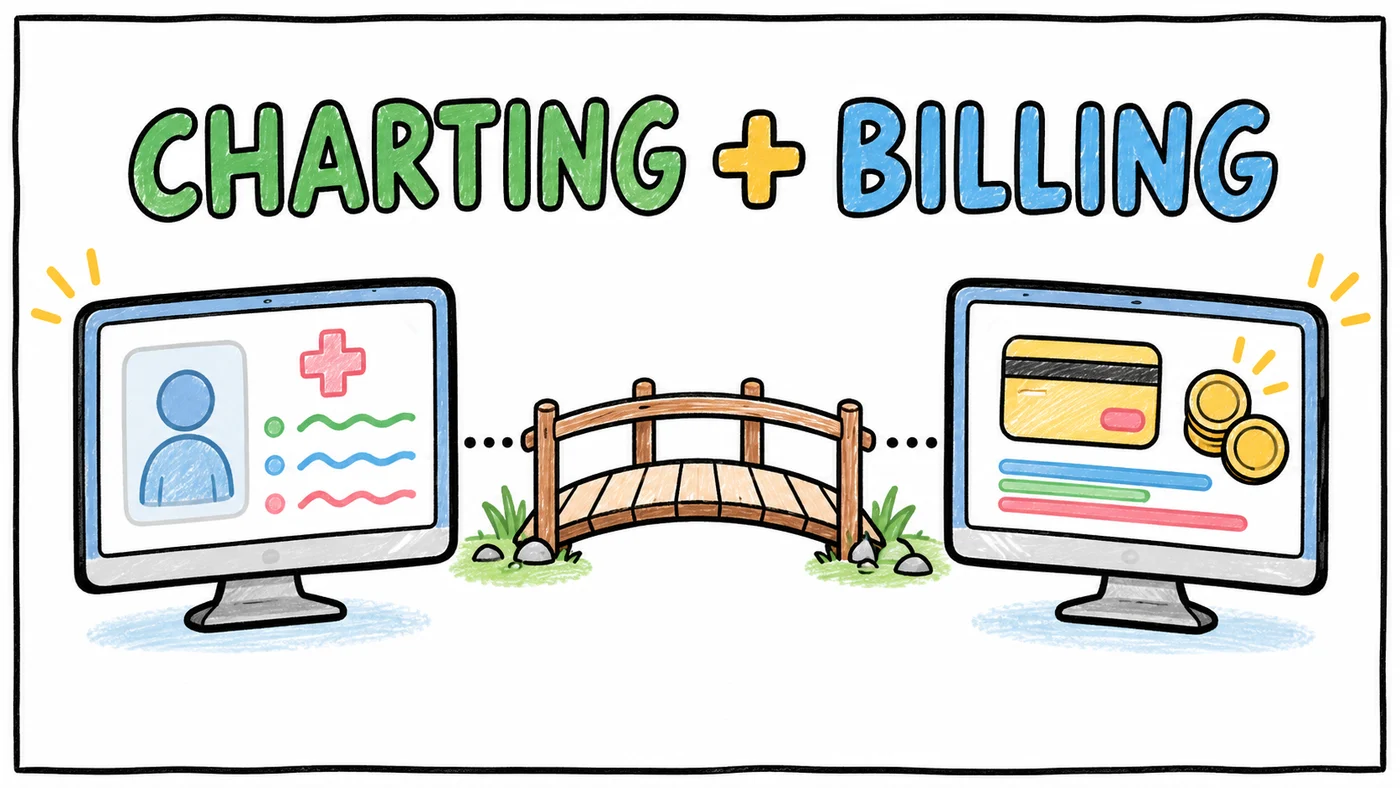
This guide walks through what each vendor documents about the integration today, what syncs and what does not, when a practice would choose Hint billing over Elation's own memberships, and a workflow table you can use to map who does what. Every vendor fact below comes from that vendor's own help center or website, checked on October 29, 2026. Both products change often, so treat this as a starting point and confirm details with each vendor's support team.
If you are still choosing tools, our DPC membership billing software guide for 2027 and DPC EHR comparison cover the wider field.
Who is the Elation and Hint pairing best for?
- Pick Elation if you put charting first and want a primary care EHR with memberships built in. Where it wins: a chart and billing platform built for primary care; some AI tools included, with Elation AI as a paid add-on.
- Pick Hint if you sell to employers, take eligibility files from a TPA, or want to keep your EHR and run only memberships and billing. Where it wins: employer billing and eligibility feeds; billing sold on its own, beside another EHR.
- What Tabflows does not do: chart visits or prescribe; bill memberships or charge cards.
The pairing is best for a direct primary care practice that wants Elation's charting and Hint's membership and employer billing, and is comfortable with two logins. Elation is a primary care EHR, and Hint is built around DPC memberships, employer groups and sponsor networks. Both vendors have written help articles about connecting them.
It is a less obvious fit for a small practice that only bills individual patients at a few fixed prices. Elation now offers its own membership management inside the EHR, and that practice may not need a second system at all. We cover that choice in detail further down.
What does Hint document about the Elation integration?
Hint's article, Elation Patient Sync, was last updated July 21, 2026, and it covers matching, setup and sync timing in detail. It says Hint and Elation "will sync your patient records and keep them up to date with changes made in either system to contact or demographic information." Patients added by an employer sponsor or network partner in Hint are also created in Elation automatically.
Before creating a new chart, the systems try to match an existing one using first name, last name, date of birth, sex and other demographics. A near-miss on a name spelling is a common way duplicates appear.
Which patients sync?
Per Hint, only patients assigned to a provider who is linked to Elation will sync, and each patient needs a first name, last name, date of birth and sex. Once a patient is linked, the sync runs both ways. If you do not want a patient in Elation, Hint's advice is simply not to assign them to an Elation-linked provider, and you can see each patient's sync status in the Integrations section at the bottom of their Hint record.
How is it set up?
Hint's setup steps are short. You request the integration from Elation, Elation's team enables it, and then you link your Hint providers to Elation (Hint has a separate article on linking providers to Elation). Settings live in Hint under Admin, Integrations, Elation Health. If your practice does not want to assign a provider to brand-new patients right away, Hint suggests asking Elation support about a placeholder system provider account.
How often does data move?
Hint's FAQ says patient data is pushed to Elation when a record is updated in Hint, not on a fixed schedule, and that changes in either system should show up in the other within minutes. If something looks stale, staff can open the patient in Hint, scroll to Integrations, and use Actions, then Push Data to Partner to force a sync.
What does Elation document about the Hint integration?
Elation's HintOS Patient Sync Integration Guide describes the same core sync from the EHR side. It says "any chart that is created in HintOS will automatically be created in Elation EHR and vice versa," and that the practice must be an Elation customer that also uses Hint. Setup starts with a request to Elation, after which Elation's implementation team connects the systems and links providers.
Elation's guide adds a few details that matter for daily work. Membership data appears in Elation as patient tags, and Elation says those tags "should be considered as read-only," because "any modifications made in Elation will not appear in or sync to HintOS." Membership, employer, plan and balance tags do not appear for archived patients.
The guide also flags phone type. In Elation, the Mobile phone type is tied to the Patient Passport invitation code, appointment reminders and virtual visit instructions, so staff editing a phone number in Hint should check that the type is still set correctly.
What data syncs between Elation and Hint, and what doesn't?
Here is what each vendor's help docs say, side by side. If a row says a vendor's article does not describe something, it means we could not find it in that article, not that the feature is impossible, so ask on a support call.
| Data | Direction | What the help docs say |
|---|---|---|
| Name, sex, date of birth | Both ways | Synced per Hint and Elation |
| Email and address | Both ways | Synced per Hint and Elation |
| First two phone numbers and types | Both ways | Synced; Elation warns that phone type affects reminders and portal invites |
| Provider assignment | Both ways | Synced per Hint; required for a patient to sync at all |
| New patient charts | Both ways | Created in the other system after a match attempt; Hint lets you turn off "Create Patients From Elation" |
| Membership status, plan name, balance | Hint to Elation | Shown as tags in Elation; Elation says treat them as read-only |
| Employer name, network sponsor, eligibility status | Hint to Elation | Shown as tags; Hint says the eligibility tag can be toggled off |
| Membership edits made in Elation | Does not sync | Elation says changes to tags in Elation do not reach Hint |
| Insurance payer, member ID, group ID | Limited | The two vendors describe this differently (see below) |
| Patient deletes and merges | Does not sync | Elation says do them in both systems |
| Clinical notes, labs, charges, payments | Not described | Neither sync article lists them as synced fields |
The insurance detail to double-check
The two help articles do not describe insurance the same way. Hint's article says insurance "is only pushed from Elation to Hint, it is not pushed from Hint to Elation." Elation's guide says insurance syncs "only when HintOS creates a chart in Elation for a new patient," and that once a chart exists, "updates to insurance information must be made in both systems."
The practical answer is the same either way. Treat insurance as something your team keeps current in both places, and Elation recommends keeping it up to date in Elation because other Elation features use it. If your practice works with insurance-linked services like labs or imaging, confirm the current behavior with both support teams during setup.
Duplicates and merges
Elation's guide is direct that deleting or merging patients does not synchronize. Hint's FAQ covers the most common sync error, where an Elation patient is "already linked" to another Hint patient, and says it is "typically caused when a duplicate patient is archived in Hint." The documented fix is to restore the archived record, merge from the inactive chart, and pick the right Elation ID in the merge form. It is worth writing down who on your team owns duplicate cleanup, because it touches both systems.
When would a practice use Hint billing with Elation instead of Elation's own memberships?
Elation has its own membership management now, so the honest question for a new clinic is whether it needs Hint at all. Per Elation's Membership Management introduction, practices can create one-time and recurring membership or fee charges "for set amounts," enroll patients in individual or group memberships, let patients self-enroll, charge stored payment methods on a schedule and run reports. It runs on Elation's Patient Payments feature, which is powered by Stripe, and Elation's DPC memberships page says ACH is now supported inside membership management.
Elation's product guide lists Membership Management at 2.99% of collected credit card payments, and 1% + $0.25 of collected ACH payments, capped at $5 a payment.
Hint, by its pricing page, is built around memberships plus employer and network billing. The Pro plan lists employer management and billing, Scale adds advanced employer capabilities and affiliate management, and Pro includes one Eligibility Autosync while Scale includes three. Hint also offers a membership and billing only option on Pro and Scale for practices that already have an EHR they like.
Hint's Launch plan starts at $290 per month with one clinician and unlimited members, and the Pro plan starts at $320 per month with one clinician and 100 members, per its pricing page.
- Mostly individual patients at a few fixed prices. Elation memberships: Good fit; documented one-time and recurring fixed charges. Hint billing with Elation: Works, but adds a second system.
- Employer contracts with group invoicing. Elation memberships: We could not find employer billing in Elation's membership articles; ask on a demo. Hint billing with Elation: Employer management and billing listed on Pro and Scale.
- Eligibility files from employers or TPAs. Elation memberships: We could not find this in Elation's membership articles; ask on a demo. Hint billing with Elation: Eligibility Autosync listed on Pro and Scale.
- Network sponsors or affiliates. Elation memberships: Not described in Elation's membership articles. Hint billing with Elation: Sponsor-added patients sync into Elation; affiliate management on Scale.
- Want everything inside one EHR. Elation memberships: Built in; one login. Hint billing with Elation: Two systems linked by the patient sync.
- May change EHRs later. Elation memberships: Billing history lives in the EHR. Hint billing with Elation: Billing stays put if the EHR changes.
- Families or households. Elation memberships: Group memberships documented; the primary member receives all notifications and charges. Hint billing with Elation: Ask Hint how household billing maps to your plans.
A few documented details are worth knowing before choosing Elation's built-in option. Elation's troubleshooting article says partial refunds are not supported, failed card payments are retried manually after the patient updates the card, a change to billing frequency applies only to patients who enroll after the change, and an existing external Stripe account cannot be connected. It helps to match those behaviors to how you price. Our membership billing decline follow-up guide covers the human side of failed payments in either tool.
If employer revenue is part of your plan, Hint's employer and eligibility features are usually the deciding factor. The employer DPC sales guide explains why those contracts bring invoicing and eligibility work that individual memberships do not.
Where are the handoff points between Elation and Hint?
The sync handles identity and membership context well. The handoffs that still need a person are the moments when something happens in one system and a different kind of work needs to happen in the other. These are the common ones in an Elation and Hint clinic:
- New member signs up in Hint. The chart appears in Elation once the patient has an Elation-linked provider, but intake forms, records requests and the first visit still need to be scheduled and tracked.
- Membership lapses or a card declines. Hint updates the status and balance tags in Elation, but someone has to notice the tag before the next visit and decide how to handle it kindly.
- Employer adds or drops an employee. Sponsor-added patients flow into Elation, but drops, eligibility changes and plan moves often need a staff check in both places.
- A visit or service has an extra charge. The visit is documented in Elation, and the charge is created in Hint. The sync articles do not describe charges moving between them.
- Insurance or a duplicate record needs fixing. Both vendors' docs say these need to be done in both systems.
Elation and Hint workflow table
This table maps the everyday events in an Elation and Hint practice to where each one starts and where it needs to end up. Use it to assign an owner to each row, because most dropped balls in a two-system clinic happen in the "needs to end up" column.
| Event | Where it starts | Where it needs to end up |
|---|---|---|
| New patient enrolls online | Hint enrollment | Elation chart with linked provider, intake task, first visit booked |
| Patient joins through an employer | Hint employer or sponsor record | Elation chart, eligibility tag checked, welcome outreach sent |
| Address, email or phone changes | Either system | Both systems via sync; confirm Elation phone type for reminders |
| Insurance card changes | Front desk, often in Elation | Both systems, updated by hand per both vendors' docs |
| Membership plan change | Hint | Hint billing updated; Elation plan tag updates via sync |
| Card decline or past-due balance | Hint billing | Elation balance tag; a staff follow-up task with the patient |
| Visit with an add-on service or dispensed medication | Elation visit note | Hint charge or invoice, created by staff |
| Lab results arrive | Elation | Patient message and follow-up task; billing in Hint only if your lab pricing is passed through |
| Patient cancels membership | Hint | Elation status tag; records and refill plan handled in the chart |
| Duplicate record found | Either system | Merged in both systems, with the correct Elation ID linked in Hint |
| Employee leaves an employer plan | Employer or TPA notice | Hint eligibility and billing updated; patient offered an individual plan |
If your clinic also runs Spruce for phones and texting, the same pattern adds a third system to each row. Our post on hiring a medical VA for an Elation, Hint and Spruce stack walks through how to give a VA the right context across all three, and the HIPAA-compliant texting guide covers the messaging side.
Tips for running Elation and Hint smoothly
A few habits come straight out of the vendors' own documentation and save a lot of cleanup later:
- Link every provider in Hint before you import or enroll patients, because unlinked patients do not sync.
- Decide on day one whether Elation should create patients in Hint, and set the "Create Patients From Elation" toggle in Hint to match.
- Treat the membership tags in Elation as a view, and make billing changes in Hint, since Elation says tag edits do not sync back.
- Keep insurance current in both systems, and keep it especially accurate in Elation because other Elation features rely on it.
- Pick one person to own duplicate merges and run them in both systems on the same day.
- When a record looks stale, use Push Data to Partner in Hint before re-entering anything by hand.
If you are moving from another EHR into Elation while keeping Hint, the guide to switching EHRs without losing patient data covers export, matching and cutover planning.
Connecting the work between Elation and Hint
The Elation and Hint sync keeps the patient's identity and membership context aligned, which is the hard part to build and the part both vendors already maintain. What it is not designed to do is carry the work between them, like the decline that needs a gentle call, the add-on visit that needs a charge, or the employer change that needs a welcome text.
That gap is where Tabflows fits. Tabflows is a dedicated tech team that connects the tools a clinic already uses, including Elation and Hint, so follow-ups, tasks and patient context sit in one shared place and the rows in the table above each have an owner and a due date.
For the full picture of how billing, charting and messaging tools fit together, see the best DPC software for 2027, and if you are still at the planning stage, start with how to start a DPC practice.
Sources
Checked on November 5, 2026: elationhealth.com. Checked on November 4, 2026: help.elationhealth.com/articles/Introduction-to-Membership-Management-with-Elation, elationhealth.com/ehr-product-guide, elationhealth.com/contact-us/pricing, hint.com/pricing and hint.com/core/find-your-price. Spot a wrong fact? Email a correction.
FAQs
Do Elation and Hint integrate?
Yes. Hint and Elation document a patient sync between the two systems. Per Hint's help center, patient charts created in either system are created in the other, demographic and contact fields sync both ways, provider assignment syncs both ways, and Hint membership data such as membership status, plan name, balance and employer name appears as tags in Elation. The practice requests the integration from Elation, and Elation's team turns it on.
What data syncs between Hint and Elation?
Per both vendors' help docs, the sync covers patient name, sex, date of birth, email, address, the first two phone numbers with their types, and the assigned provider. Hint also sends membership status, plan name, patient balance, employer name, network sponsor name and employer eligibility status to Elation as patient tags, which Elation says should be treated as read-only. Clinical notes, charges and payments are not described as part of the sync in either vendor's article.
What does not sync between Elation and Hint?
Elation's integration guide says deleting or merging patients in either system does not synchronize and must be done in both, and that membership changes made in Elation do not sync back to Hint. Insurance is limited. Elation's guide says insurance syncs only when Hint creates a new chart in Elation, while Hint's article describes insurance flowing from Elation to Hint only, so the safest habit is to update insurance in both systems and confirm the behavior with support.
Should I use Hint for billing or Elation's built-in memberships?
Elation's own membership management fits a practice that bills patients directly at fixed one-time or recurring amounts and wants everything inside the EHR. Hint fits a practice that sells to employers, works with network sponsors, needs eligibility files, or wants billing that stays in place if it ever changes EHRs. Both are documented on each vendor's own pages, so the choice usually comes down to how much employer and sponsor billing you expect.
How do I set up the Elation and Hint integration?
Per Hint's help center, you request the integration by contacting Elation, Elation's team enables it, and then you link your Hint providers to Elation. Patients sync once they are assigned to an Elation-linked provider and have a first name, last name, date of birth and sex. Settings live in Hint under Admin, Integrations, Elation Health.
How fast does Hint data show up in Elation?
Hint's help center says patient data is pushed to Elation when a patient record is updated in Hint rather than on a fixed schedule, and that changes in either system should appear in the other within minutes. Staff can also force a push from the Integrations section of a patient's record in Hint using Actions, then Push Data to Partner.