
What's the best workflow for triaging overnight Spruce messages?
The best workflow for triaging overnight Spruce messages is a single morning sweep, owned by one named person, where every conversation leaves the inbox in one of three ways, answered, paged to the person who needs to handle it, or archived with nothing left to do. The rule that keeps staff from archiving a message without mentioning its owner is simple, no archive without a Page. In Spruce, archiving removes a conversation from every teammate's Inbox, but a conversation with an unresolved Page stays in the paged teammate's Pages filter until they resolve it, so paging first means archiving never hides work. Posting the Page as an internal note keeps it private to the team, and setting internal notes as the default reply mode stops a note from going to a patient by accident. Tabflows fits alongside Spruce as a dedicated tech team whose Spruce Inbox Triage sorts unread messages by urgency and type, so the morning sweep starts with the most important conversations on top.
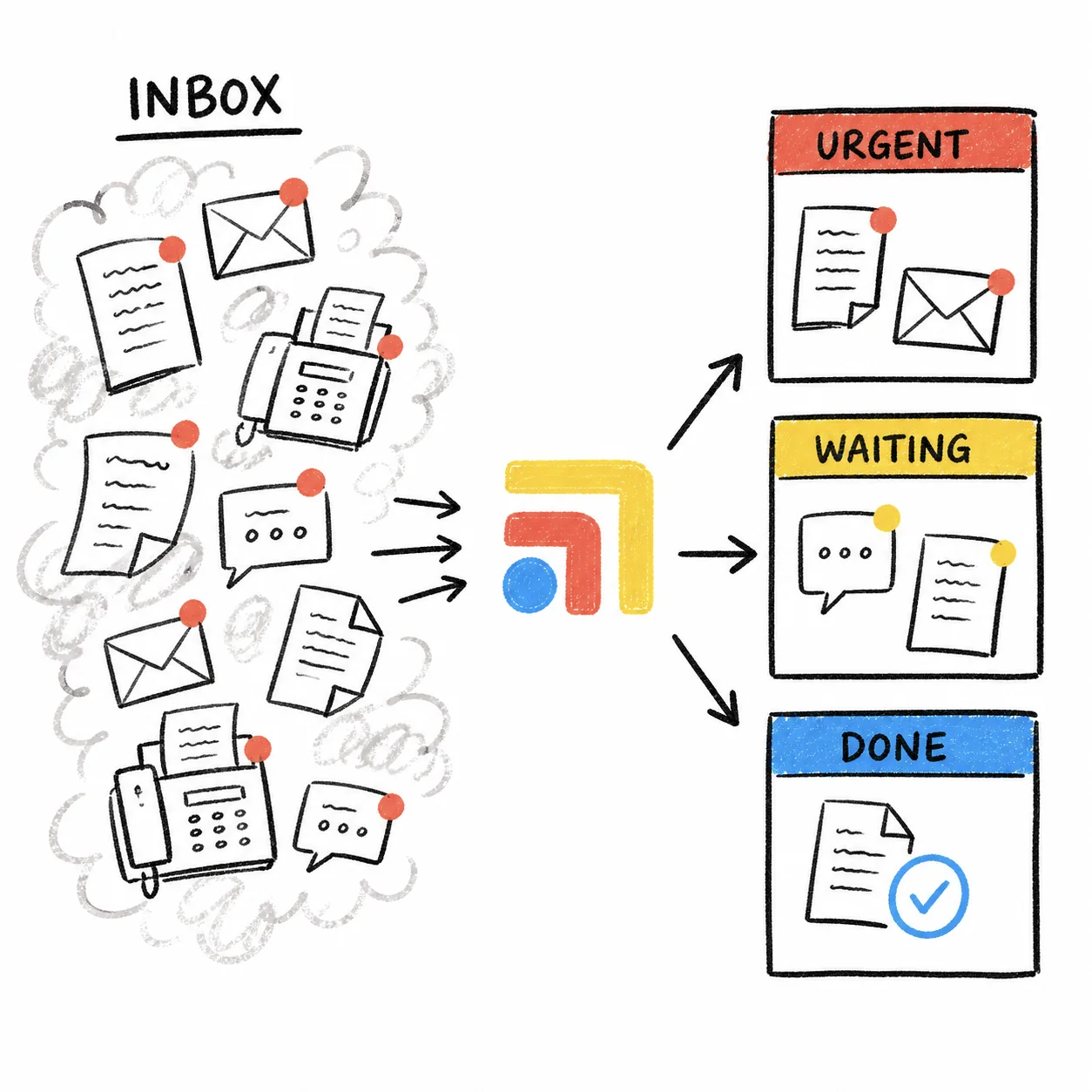
Overnight messages are where small practices feel the strain of tools that were never built to hand work from one person to the next. A message comes in at 11pm, the front desk sees it at 7:45am, someone reads it, thinks "the doctor needs this," and taps archive to clear the screen. The doctor never sees it. Nobody did anything wrong. The inbox just treats "read" and "handled" as the same thing, and the workflow below separates them.
How Spruce archiving actually works
It helps to know exactly what archive does before you write a rule around it. Spruce's help center says archiving a conversation removes it from every teammate's Inbox view to keep the inbox clean. Archived conversations stay in the Archived filter and in search, so nothing is deleted. Any new activity on an archived conversation, such as the patient writing back, returns it to the Inbox and the relevant filters for the whole team.
Two exceptions matter for triage. A conversation with an unresolved Page stays in the Pages filter for the assigned teammate until the Page is resolved, and a starred conversation stays in the Starred filter. That first exception is the whole trick. It means you can archive freely as long as the person who owns the next step has been paged.
The overnight triage workflow, step by step
1. Name one owner and one time
Pick the person who runs the sweep each morning, usually whoever opens the practice, and a time it's finished by, ideally before the first visit. If the role rotates, put the rotation somewhere the whole team can see. A shared inbox without an owner is how messages end up read by three people and handled by none.
2. Default your compose bar to internal notes
Spruce recommends setting internal notes as the default reply mode, so you have to switch to SMS or secure message on purpose to reach a patient. Each person turns this on under their own preferences. During a fast morning sweep it removes the worst mistake, a note about a patient going to the patient.
3. Sort before you act
Read through the overnight conversations once and put each one in a bucket before replying to any of them. A simple set works for most DPC practices.
- Clinical or time-sensitive. Symptoms, medication questions, results questions. These get paged to a clinician first.
- Scheduling. Requests to book, move or cancel a visit, which the front desk can usually finish.
- Admin. Billing, forms, records requests and anything else with a clear owner on the team.
- Nothing to do. Thank-you notes and replies that close a loop. These can be archived as they are.
4. Answer what you can, page what you can't
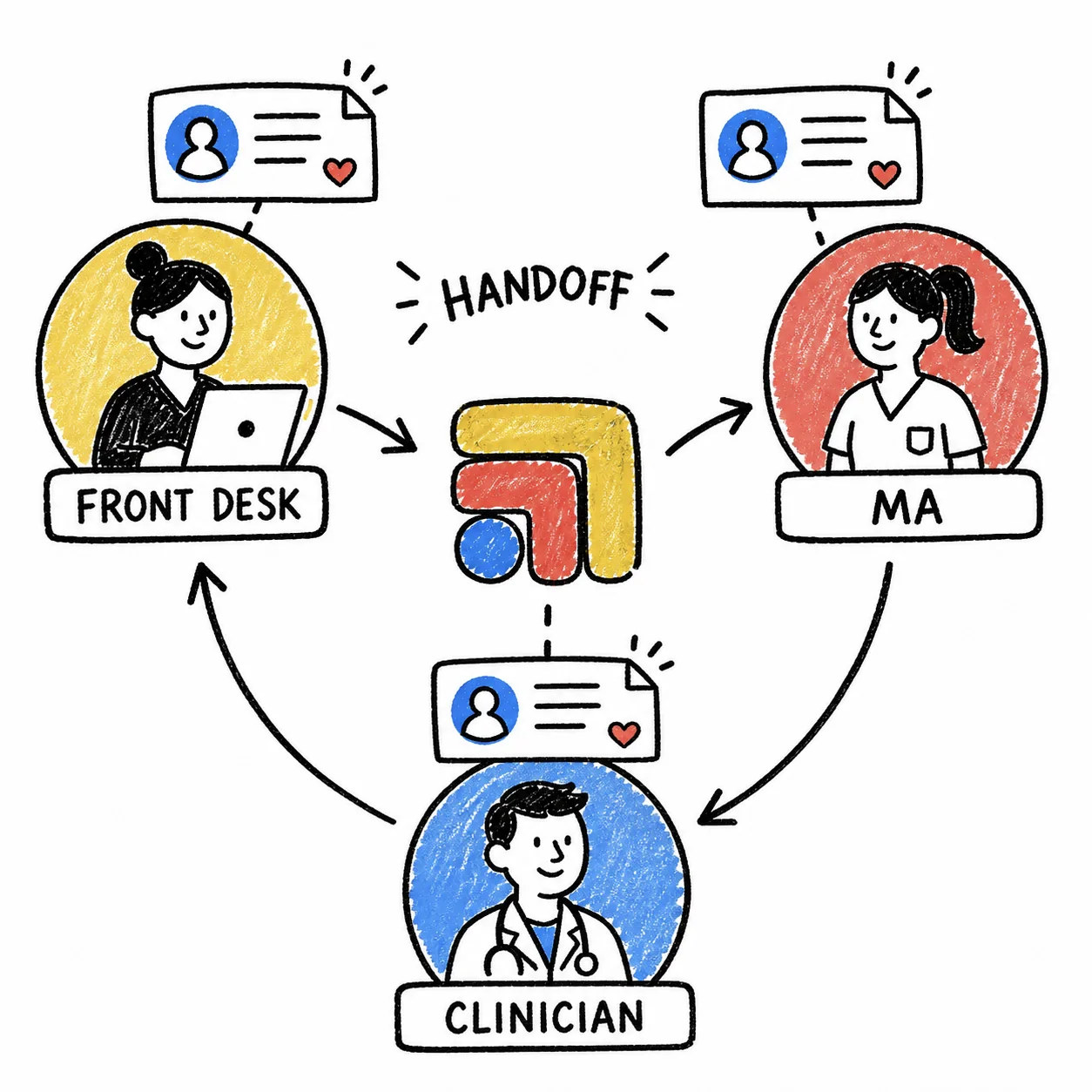
If the sweep owner can fully handle a message, answer it and archive it. If anyone else needs to act, post an internal note in that patient's conversation that pages the person by name and says plainly what's needed, for example "Dr. Lee, overnight question about a rash, photo attached, please review today." Spruce describes paging as a way of notifying a teammate of a conversation that requires action or acknowledgement, and internal notes are where Spruce suggests you assign tasks and page teammates.
5. Then archive
Once the Page is posted, archive the conversation. It disappears from the shared Inbox, so the next person doesn't triage it a second time, and it stays in the paged teammate's Pages filter until they resolve the Page. When the patient writes again, Spruce returns the conversation to the Inbox for everyone.
6. Use scheduled notes for anything with a deadline
Spruce lets you schedule an internal note to post later, the same way you'd schedule a message to a patient. If something needs a check-in on Thursday, a scheduled note to yourself or a teammate brings it back at the right time without leaving it in the inbox all week.
7. Close the sweep with a quick Pages check
Before the first visit, the sweep owner looks at whether yesterday's Pages were resolved. Spruce's help center has a section on Pages oversight for administrators, so an owner or office manager can see which Pages are still open. Anything older than a day gets a friendly nudge in team chat.
The one rule to put on the wall
If your team remembers one line, make it this one, never archive a conversation that needs someone else until you've paged that person in an internal note. It's short enough to train in a minute and it matches how Spruce already works, so nobody has to fight the tool. Our Spruce messaging workflow guide and after-hours patient message triage post go deeper on reply templates and on-call coverage, and Spruce staff response times covers how to measure whether the sweep is working.
Where Tabflows fits
Tabflows is a dedicated tech team and smart admin infrastructure for DPC and concierge clinics. It isn't a messaging replacement, and Spruce stays where your team talks with patients. Tabflows works between Spruce, your EHR and the rest of your tools so the work a message creates gets finished.
For the overnight sweep, Spruce Inbox Triage sorts unread Spruce messages by urgency and type so nothing sits unanswered, which means the person running the sweep starts with the clinical messages on top. Patient Inbox Drafts writes replies in your clinic's voice for staff to approve or edit, and Smart Task Recommendations turns patient messages and chart activity into staff tasks with an owner and a due date. Your team still makes every call. You can see the rest on the Spruce integration page, and pricing is published.
If you'd like help setting this up around your own inbox, tell us about your practice and we'll suggest the simplest next step.
Sources: help.sprucehealth.com/hc/en-us/articles/23003244765851-Spruce-Notes-Feature-Internal-Notes-and-Note-Conversations, help.sprucehealth.com/hc/en-us/articles/23003247210523-How-to-Archive-Conversations-in-Spruce and help.sprucehealth.com/hc/en-us/articles/23003282611099-Internal-Team-Communication-on-Spruce-Secure-Team-Chat-and-Internal-Paging.
FAQs
What happens when a Spruce conversation is archived?
Spruce's help center says archiving removes the conversation from every teammate's Inbox view, and it stays reachable in the Archived filter and through search. Any new activity, such as a new message from the patient, returns it to the Inbox automatically. Conversations with an unresolved Page stay in the Pages filter for the paged teammate until the Page is resolved, and starred conversations stay in the Starred filter.
How do I make sure the right person sees a Spruce message before it's archived?
Page them first. Post an internal note in the patient conversation that pages the person who needs to handle it and says what's needed, then archive. Spruce keeps a conversation with an unresolved Page in that teammate's Pages filter until they resolve it, so archiving cleans up the shared inbox without hiding the work from its owner.
Can patients see Spruce internal notes?
No. Spruce says internal notes are visible only to you and your teammates. They show with a yellow background and a Post button, while patient-facing messages show white with a Send button. Spruce recommends setting internal notes as your default reply mode so a comment meant for a teammate can't go to a patient by accident.
Who should triage overnight Spruce messages in a small DPC?
Pick one named person per morning, usually whoever opens the practice, and give them a fixed time to finish the sweep before the first visit. A rotating owner works as long as everyone uses the same rule for what gets paged, what gets answered and what gets archived.
Can software sort overnight Spruce messages for my team?
Yes. Tabflows, a dedicated tech team for DPC and concierge clinics, runs Spruce Inbox Triage, which sorts unread Spruce messages by urgency and type so nothing sits unanswered. Staff still decide who handles each message, and Spruce stays your messaging tool.