
Can You See Who Picks Up Spruce Messages and How Fast?
Yes, Spruce now shows most of this inside the app. Spruce Dashboards, under Settings and then Dashboards, give admins a per-teammate breakdown of messages handled, calls answered, video visits and internal notes on the Communicator plan, along with how quickly internal Pages get resolved and heat maps of when messages arrive. For any single conversation, Conversation Details shows when a message was sent, when it was read and which teammate or team it is assigned to. What the Spruce pages we read do not describe is a per-teammate reply-time number for every patient message, so most practice managers pair the teammate activity chart with assignment rules and a short weekly spot check of conversation timestamps. Tabflows fits beside Spruce, not in place of it, as a dedicated tech team that sorts the inbox, drafts replies for staff to approve and turns messages that need follow-up into tracked tasks with an owner and a due date.
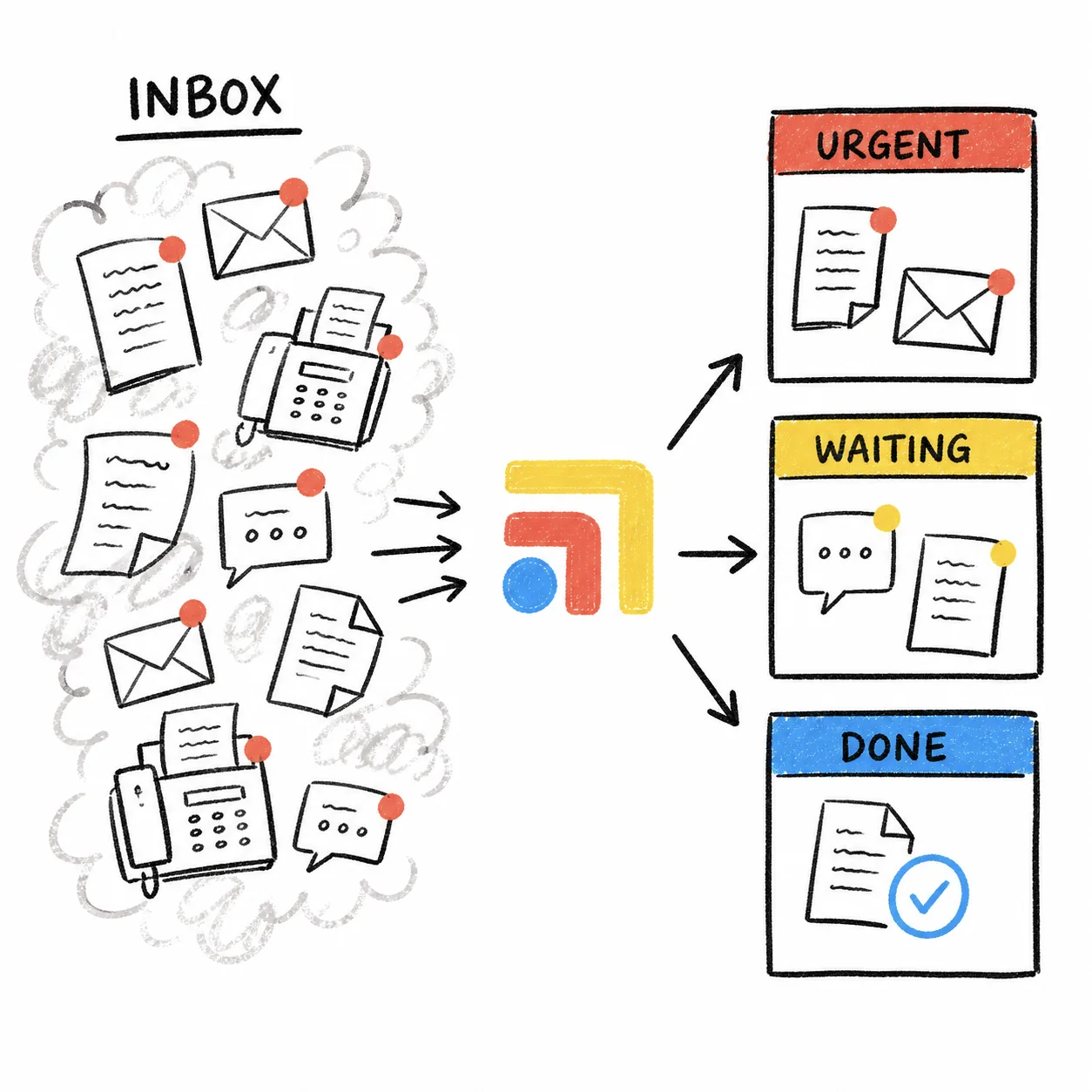
In a membership practice a slow reply is felt right away, because the member is paying for access to you. Knowing who picks up messages and how long they sit is how a practice manager protects that promise without asking the doctor to watch the inbox. Every Spruce fact below comes from Spruce's own help center and blog, read on November 2, 2026.
What the Spruce Dashboard Shows a Practice Manager
Spruce launched in-app Dashboards in August 2026. They are on by default for every active Basic and Communicator organization, they are admin-only, and they run on the web and desktop apps rather than mobile. Charts cover the last 7 days and refresh every few hours.
The Basic plan shows a core set of charts, including inbound communication by channel (unique people who called, messaged, emailed, texted or faxed each day), SMS messages sent and received, fax, email and secure messaging volume. That tells you how busy the week was, but not who carried it.
The Communicator plan unlocks the views a practice manager usually wants.
- Teammate activity and paging. A per-teammate breakdown of messages handled, calls placed and answered, video visits completed and internal notes posted, plus paging volume and resolution time, which shows how quickly urgent internal requests get handled.
- Inbound and outbound heat maps. Calls and messages mapped by hour and day of the week, so you can staff around the busy windows instead of guessing.
- Call answer rate. The share of inbound calls answered versus missed, broken out by phone line.
- Call flow selection analytics. Which phone menu options callers pick and how those calls resolve.
From any chart you can download the underlying data as CSV or XLSX, export the chart as an image, or print the whole dashboard to PDF.
How to Track Pickup and Response Time per Staff Member, Step by Step
- Assign every conversation. Spruce lets you assign a conversation to a team or a teammate, and the assignment shows in Conversation Details. If messages land in a shared inbox with no owner, nobody's numbers mean much. Spruce Workflows can auto-assign conversations based on tags, which Spruce builds for you after an admin submits a request in Settings, then Workflows.
- Open the teammate activity chart each week. Go to Settings, then Dashboards, on web or desktop. Check messages handled per teammate against who was scheduled that week, and look at paging resolution time for urgent internal requests.
- Spot check a handful of conversations. Open a few conversations from the busiest heat map hours and select the "i" in the top right to see Conversation Details. The sent time, read time and assignment tell you how long a message waited and who picked it up.
- Keep a running record. Because charts cover the last 7 days, download the teammate activity data each week into one spreadsheet. A month of those files shows trends a single week hides.
- Share it kindly. Only admins see the dashboard, so export or print the views you want the team to see. Most delays come from coverage gaps and tools that were never built to talk to each other, so frame the numbers around staffing and handoffs rather than individuals.
Spruce Dashboard, Health Compiler and Tabflows Compared
- Messages handled per teammate. Spruce Dashboards: Yes, Communicator plan. Health Compiler: Not described. Tabflows: Not its job.
- Urgent request speed. Spruce Dashboards: Paging resolution time. Health Compiler: Not described. Tabflows: Sorts unread messages by urgency.
- Busiest hours. Spruce Dashboards: Heat maps by hour and day. Health Compiler: Not described. Tabflows: Not its job.
- Employer reporting. Spruce Dashboards: No. Health Compiler: Yes, responsiveness and volume. Tabflows: No.
- Draft replies for staff. Spruce Dashboards: No. Health Compiler: No. Tabflows: Yes, staff approve each one.
- Follow-up with an owner. Spruce Dashboards: Conversation assignment. Health Compiler: No. Tabflows: Tracked tasks with owner and due date.
Health Compiler is an analytics platform that integrates with Spruce. Its partner page says communication volume, responsiveness and virtual visit data from Spruce feed employer dashboards that show DPC benefit use, and that it combines Spruce data with EHR, claims, lab and pharmacy data. It fits practices that report utilization to employer clients more than practices that want a weekly staffing view.
What Spruce Does Not Measure for You
The pages Spruce has published describe resolution time for internal Pages, not a reply-time figure for each patient message by teammate. Dashboards also start at the last 7 days, with date filtering described as something Spruce hopes to add later. And a dashboard measures what happened inside Spruce. When a patient message turns into a refill request in Elation, a billing question in Hint or a records request by fax, the reply in Spruce can be fast while the actual work still waits somewhere else. That is the gap most practice managers feel, and it is a tooling gap rather than a staffing one.
Where Tabflows Fits
Tabflows is a dedicated tech team for DPC, concierge and private clinics that works across the tools a clinic already uses, including Spruce, Elation and Hint. It is not a messaging replacement, and Spruce stays where your team talks to patients and where you measure activity.
- Spruce Inbox Triage sorts unread Spruce messages by urgency and type so nothing sits unanswered.
- Urgent-message summaries summarize urgent patient messages for quick action.
- Patient Inbox Drafts drafts replies in the clinic's voice and shows staff why each draft was written, so they approve or edit it.
- Daily message review reviews Spruce and Elation each day and feeds items needing replies into those drafts.
- Work that needs more than a reply becomes a tracked task with an owner, a due date, a status and the patient attached, so a practice manager can see who owns what is still open.
Put together, Spruce tells you who handled the volume, and Tabflows helps make sure each message that needs a next step has a named owner until it is done. That keeps members feeling heard, which is what protects renewals and referrals as the panel grows.
Next Step
If you want to see how this would run with your own Spruce setup, read how Tabflows works with Spruce, or tell us about your clinic and we will suggest the few automations that would help your front desk first.
Sources: help.sprucehealth.com/hc/en-us/articles/52163792681115-Spruce-Dashboards-In-App-Reporting-for-Healthcare-Communication-Activity, sprucehealth.com/blog/introducing-spruce-dashboards-practice-reporting-right-inside-spruce, sprucehealth.com/whats-new/2026-08-11-spruce-dashboards-see-your-practice-s-activity-at-a-glance, help.sprucehealth.com/hc/en-us/articles/23003247513499-Spruce-Workflows-Custom-Automation-for-Triage-Assignment-and-Replies, help.sprucehealth.com/hc/en-us/articles/23003259684507-Spruce-Message-and-Conversation-Details-Read-Receipts-Timestamps-and-Metadata and healthcompiler.com/partners/spruce.
FAQs
Does Spruce show response time for each staff member?
Spruce Dashboards on the Communicator plan include a teammate activity view with a per-teammate breakdown of messages handled, calls placed and answered, video visits completed and internal notes posted, plus paging volume and resolution time. The Spruce pages we read on November 2, 2026 describe resolution time for internal Pages, not a per-teammate reply time for every patient message. For a single conversation, Conversation Details shows when a message was sent, when it was read and who the conversation is assigned to.
Which Spruce plan has dashboards?
Spruce says dashboards are on both the Basic and Communicator plans. Basic admins see a core set of charts covering inbound communication, SMS, fax, email and secure messaging. Communicator admins unlock the full set, including teammate activity, call answer rates, Pages resolution and heat maps of message volume by day and hour.
Can non-admin staff see the Spruce dashboard?
No. Spruce says dashboards are admin-only and available on the web and desktop apps, not mobile. Admins can export any chart as CSV or XLSX, export a chart image, or print the whole dashboard to PDF to share with the team.
How far back does the Spruce dashboard go?
Spruce says charts show the last 7 days by default and the data refreshes every few hours. Spruce's help article says it hopes to add date filtering later, so for a monthly view most practice managers download each week's chart data and keep a simple running spreadsheet.
Can I automatically assign Spruce messages to a staff member?
Yes. Spruce Workflows include auto-assignment based on tags, which routes conversations to the right teammate or team. Spruce builds each Workflow after an administrator submits a request in Settings, then only admins can turn it on or off. Once conversations are assigned, the assignment shows in Conversation Details and the teammate activity chart reflects who handled what.
Does Tabflows replace the Spruce dashboard?
No. Tabflows is a dedicated tech team that works alongside the Spruce account a clinic already has. Spruce stays the place to measure message volume and teammate activity. Tabflows sorts the inbox by urgency, prepares draft replies for staff to approve, and turns messages that need more than a reply into tracked tasks with an owner, a due date and a status, so nothing waits on someone remembering it.