
The Short Answer
Yes, software can place a lab order and send it electronically to Quest or Labcorp, but the software doing the sending is a lab interface, not a free-floating AI tool. Today that means Quest's own Quanum Lab Services Manager portal, or an EHR with a built-in Quest or Labcorp connection such as Healthie's E-Labs Direct, Akute's Essentials plan or Charm's ready lab interfaces. The order still goes out under an ordering provider's NPI, and a licensed clinician decides what to order and signs it. Most AI tools that sit outside the EHR don't transmit the order themselves, they draft it, remind you about it or create the follow-up task, and that follow-up is honestly where a lot of the dropped balls happen. Tabflows fits on that side of the order. It is a dedicated tech team that opens Quanum and Labcorp next to the patient's chart and turns each order into tracked follow-up work, while your EHR or the lab's portal does the actual sending.
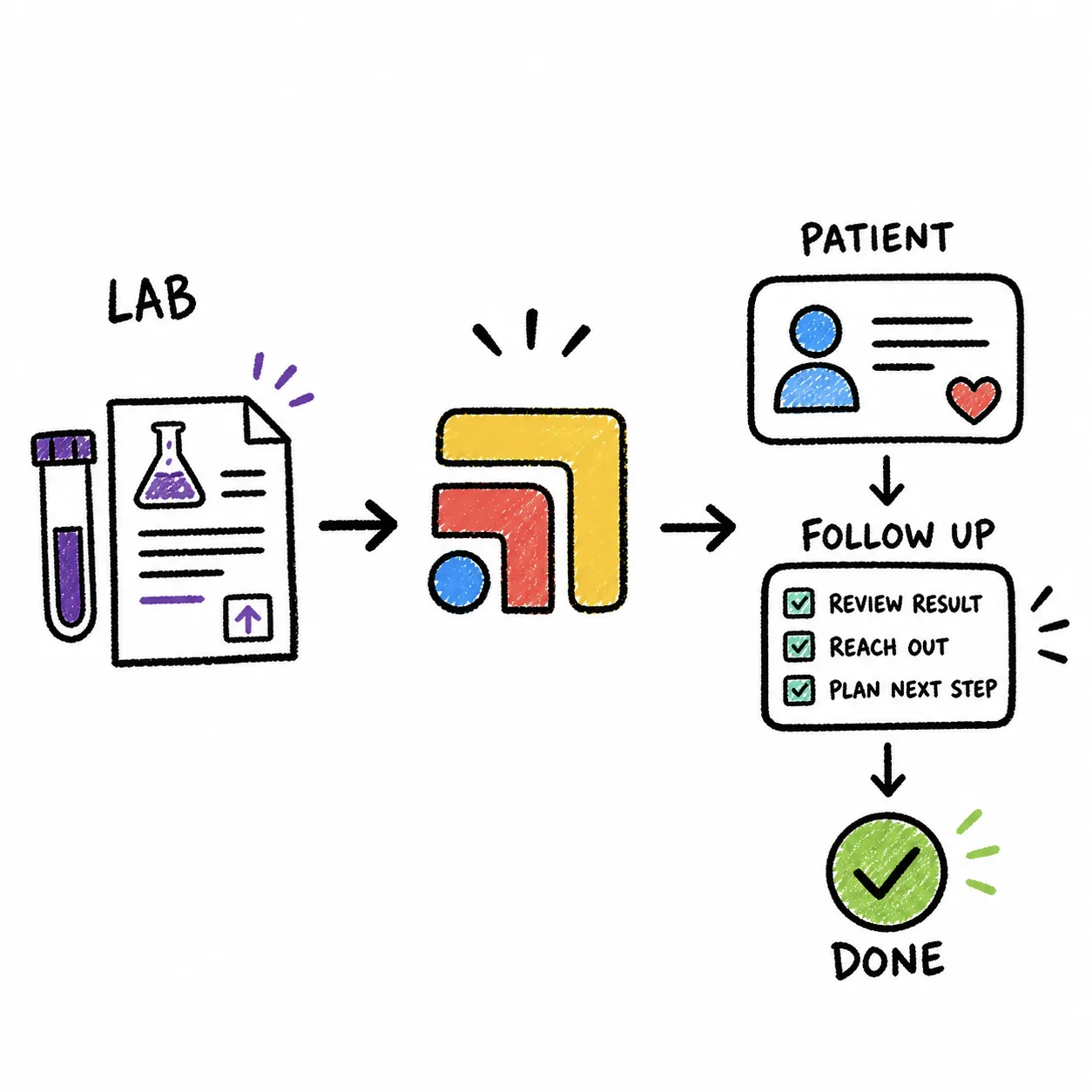
If you're starting a direct primary care practice, this question matters before you pick an EHR, because the lab connection is often the slowest piece of the whole setup. The rest of this guide walks through how an electronic lab order actually travels, what each kind of software can and can't do, how long the connections take, and how to set things up so an order never quietly disappears after it is sent.
How an Electronic Lab Order Actually Reaches Quest or Labcorp
A lab order is a small packet of information. It carries the patient's demographics, the ordering provider and their NPI, the tests, the diagnosis codes, any billing details and where the specimen will be collected. For Quest or Labcorp to accept it electronically, it has to arrive through a channel the lab recognizes and has enrolled your practice on.
There are two common channels for a small practice.
- The lab's own portal. Quest describes Quanum Lab Services Manager as a complimentary online platform for healthcare professionals. Its page lists simplified lab ordering, order tracking so you know when Quest received the order and when to expect results, graphed results with historical trending, supply ordering, online specimen pickup scheduling and access to the full test menu. You enroll your practice, log in and place the order there.
- An EHR with a lab interface. Here the EHR sends the order to the lab for you and brings the result back into the chart. Healthie's E-Labs Direct connects an existing Quest, Sonora Quest or Labcorp account so prescribers and support staff can place lab orders and receive results without leaving Healthie, with patient demographics filled in from the chart. Akute lists lab ordering and results on its Essentials plan, and CharmHealth lists ready lab interfaces for LabCorp and Quest.
In both cases you need your own account with the lab first. Healthie's enrollment guide is direct about this, saying you must already be set up with an account directly with the lab vendor before it can be connected.
So What Does "AI Software" Do With Lab Orders?
When people ask whether AI can place a lab order, they usually mean one of four different things, and the honest answer is different for each.
AI that drafts the order inside your EHR
Some EHRs now suggest orders from the visit note or let an assistant pre-fill an order form. This can save real clicks. The order still lives in the EHR, goes through the EHR's lab interface and waits for a clinician to review and sign it. If your EHR has no lab interface, the draft has nowhere electronic to go.
AI scribes and note tools
Scribes listen to the visit and write the note. Some pick up that labs were discussed and add them to a plan or a to-do list. They are not lab interfaces, so they don't send anything to Quest or Labcorp. Their output is a reminder that a person or the EHR then acts on.
General automation and AI agents
Tools like general AI agents or workflow builders can move information between apps, but sending a real order to a national lab requires an enrolled interface and a provider's signature. An agent clicking through a portal on your behalf raises fair questions about who signed the order, what was sent and whether the vendor has a BAA with you. For a new practice, this is rarely the place to start.
Task and follow-up tools
This is the "it only creates a follow-up task for me" case, and it deserves more credit than it gets. Sending the order is one click inside the right system. Making sure the patient actually went to the patient service center, the result came back, someone reviewed it and the patient heard about it is many steps across several tools, and that is where things slip.
A Side-by-Side Look
- Quest Quanum Lab Services Manager. Sends the order to the lab? Yes, to Quest. Brings results back? Yes, in the portal. Best for: New practices that want Quest now.
- Healthie E-Labs Direct. Sends the order to the lab? Yes, Quest, Sonora Quest, Labcorp. Brings results back? Yes, into Healthie. Best for: Healthie Enterprise customers.
- Akute Essentials. Sends the order to the lab? Yes, per Akute's plan list. Brings results back? Yes, per Akute. Best for: DPC practices choosing Akute.
- CharmHealth. Sends the order to the lab? Yes, ready Quest and Labcorp interfaces. Brings results back? Yes, per Charm. Best for: Practices choosing Charm.
- AI scribe or note assistant. Sends the order to the lab? No. Brings results back? No. Best for: Capturing that labs were planned.
- Tabflows. Sends the order to the lab? No. Brings results back? No, it works beside them. Best for: Tracking the follow-up across tools.
How Long the Lab Connection Takes
This is the part to plan around if you're opening soon. Healthie's enrollment guide says the process of adding an existing Quest or Labcorp account to its interface was taking more than five months, counted from when the lab vendor reviews and accepts the enrollment form, and that the timeline is set by Quest and Labcorp's internal processes. Healthie also notes that E-Labs Direct is for customers on its Enterprise plans, that orders currently send the patient to a lab patient service center, and that in-house draws and at-home collection aren't supported through it yet.
Other EHRs will have their own timelines, and we haven't verified them, so ask each vendor on your demo call how long a new Quest or Labcorp interface is taking right now. The practical takeaway for someone starting a DPC is to open your lab accounts early and enroll in Quanum so you can order from day one, then let the EHR interface catch up.
Who Is Allowed to Place the Order
Lab ordering software usually separates the ordering provider from the person entering the order. In Healthie, each ordering provider needs an NPI in their profile, team members need the "can view labs" and "can order labs" permissions, and support staff listed as users during enrollment can place orders on behalf of physician reviewers. That is a helpful model for a small DPC team, because your medical assistant can prepare and submit orders while you stay the ordering provider. Check your own EHR's permissions and your state's rules before you set it up that way.
How to Set Up Lab Ordering When You're Starting a DPC
- Open accounts with Quest and Labcorp. Both an EHR interface and the lab's portal depend on it, and it is the step that can't be rushed later.
- Enroll in Quanum Lab Services Manager. This gives you electronic Quest ordering, order tracking and results while your EHR connection is in progress.
- Ask your EHR vendor three questions. Which labs does your interface connect to, how long is enrollment taking right now, and does it cover in-office draws or only patient service centers?
- Decide who enters orders and who signs them. Write it down once, set the permissions to match and make sure every ordering provider's NPI is in the system.
- Decide what happens after the order. Who confirms the patient went for the draw, who watches for the result, who reviews it and who tells the patient. This is the step most software leaves to memory.
- Get a BAA from every vendor that touches the order or result. That includes your EHR, any AI assistant and any task or automation tool, before patient information goes through it.
What Usually Goes Wrong After the Order Is Sent
Quest and Labcorp do their job well. They receive the order, run the test and send the result. What they don't do is make sure anyone in your practice follows up, and we wrote about that gap in Quest and Labcorp send the result, they do not make sure anyone follows up.
The common slips are quiet ones. A patient never goes to the draw station and nobody notices for three weeks. A result lands in the lab portal but not the chart. An abnormal value waits in a queue on the day the doctor is out. A patient texts asking about results and the message sits in a different inbox from the result. None of this is anyone's fault. It happens because the EHR, the lab portal, the messaging app and the membership platform were never built to talk to each other about the same patient.
In a membership practice, this follow-through is part of what members pay for. A result explained the same week, without the member having to chase it, is the kind of care that keeps a panel growing by word of mouth.
Where Tabflows Fits
Tabflows is a dedicated tech team and smart admin infrastructure for DPC, concierge and private clinics. It is not an EHR, not a lab interface and not an AI scribe, and it doesn't send orders to Quest or Labcorp on its own. Your EHR's lab interface or Quest's Quanum portal does the sending, and your clinician signs the order, exactly as it works today.
What Tabflows does is make the work around the order easier to finish. It opens Quest Quanum and Labcorp alongside your EHR and the patient's chart, so whoever places the order isn't re-finding the patient in another window. When someone opens a patient's chart in Elation, Smart Task Recommendations can draft the follow-ups it sees in the recent chart activity, such as a lab to chase, with an owner and a due date, and a person reviews each one before it is saved.
The tech team also builds lab workflows on request for clinics that want them. Open lab order tracking flags Quest and Labcorp orders that still have no result after a set number of days, lab result routing matches incoming results to the patient and the ordering provider, and out-of-range result flags move results outside their reference range to the top of the review queue. You can see every lab workflow and its status on the workflow automations page, and how Tabflows handles AI and patient data on safe and responsible AI.
So if the question is "does it only create a follow-up task for me," for Tabflows the honest answer is that the follow-up is the job, and the order itself stays in the system built to send it.
A Good Next Step
Before you compare software, write down how a lab order moves through your practice today, from the moment you decide on it to the moment the patient hears their result, and mark who owns each step. That one page will tell you whether you need a faster way to send orders or a better way to finish them. If you'd like help working out the setup that fits your practice, tell us how your clinic runs and we'll point you in the right direction.
Sources: help.gethealthie.com/article/1273-placing-lab-orders-in-healthie, help.gethealthie.com/article/1098-e-labs-direct-enrollment-form, questdiagnostics.com/healthcare-professionals/lab-tools-it-systems/quanum-lab-services-manager, akutehealth.com/pricing and charmhealth.com/ehr.
FAQs
Can AI software place a lab order with Quest or Labcorp by itself?
Not in the way most doctors picture it. An electronic order reaches Quest or Labcorp through a lab interface, either Quest's Quanum Lab Services Manager portal or an EHR that has a connection to the lab, and it goes out under an ordering provider's NPI. Software around that interface can pre-fill details, draft the order or remind you to place it, but a licensed clinician still decides on and signs the order, and most AI tools stop at drafting or creating the follow-up task.
What is the fastest way for a new DPC practice to send electronic lab orders to Quest?
Quest describes Quanum Lab Services Manager as a complimentary online platform for ordering lab tests, seeing graphed results in real time, tracking orders, ordering supplies and scheduling a specimen pickup. Enrolling there gives a new practice electronic Quest ordering without waiting on an EHR interface. Many practices later add an EHR lab interface so orders and results live on the chart.
How long does it take to connect Quest or Labcorp to an EHR like Healthie?
It can take months. Healthie's help center says adding an existing Quest or Labcorp account to its E-Labs Direct interface was taking more than five months from when the lab vendor reviews and accepts the enrollment form, and that the timeline is set by Quest and Labcorp's own processes. Ask any EHR vendor for its current lab interface timeline before you plan your opening date around it.
Can my medical assistant or front desk place lab orders for me?
Often yes, under your name and with your sign-off, depending on the system and your state's rules. Healthie, for example, lets support staff listed as users in its E-Labs Direct enrollment place lab orders on behalf of physician reviewers, and each ordering provider needs an NPI in their profile. Check your EHR's permission settings and your own state's scope-of-practice rules.
Does Tabflows send lab orders to Quest or Labcorp?
No. Tabflows is not an EHR or a lab interface, and it doesn't submit orders to labs on its own. It opens Quest's Quanum portal and Labcorp alongside the patient's chart so the person ordering doesn't hunt between windows, it turns the follow-up an order creates into a tracked task with an owner, and its dedicated tech team builds open lab order tracking on request so orders with no result after a set number of days get flagged.
Do I need a BAA with an AI tool that touches lab orders?
If the tool stores or handles patient health information for your practice, yes, you need a signed business associate agreement with that vendor before patient information goes through it. That applies to an AI assistant, a task tool or an automation platform as much as to your EHR.