
Can AI Match Our Monthly Quest or LabCorp Bill Against the Lab Charges in Cerbo and Hint?
Yes, AI can match your monthly Quest or LabCorp bill against the lab charges in Cerbo and Hint and flag any discrepancies, as long as it can read all three lists and a person on your team reviews each flag before anything changes. Cerbo and Hint don't do this comparison on their own today, because the Cerbo and Hint integration syncs patients and their contact details but, in Hint's own words, does not transfer payment information or transaction history. That leaves three separate records of the same lab work, the lab's bill, Cerbo's charges and Hint's charges, and the matching between them is exactly the kind of repetitive cross-checking a well-set-up automation handles well. Because a lab bill lists patients, any AI tool that reads it needs a business associate agreement (BAA) with your practice. Tabflows fits here as a dedicated tech team that builds and runs the charge audit between Cerbo and Hint, adds the lab bill to it, and hands your team a short list of flags to review.
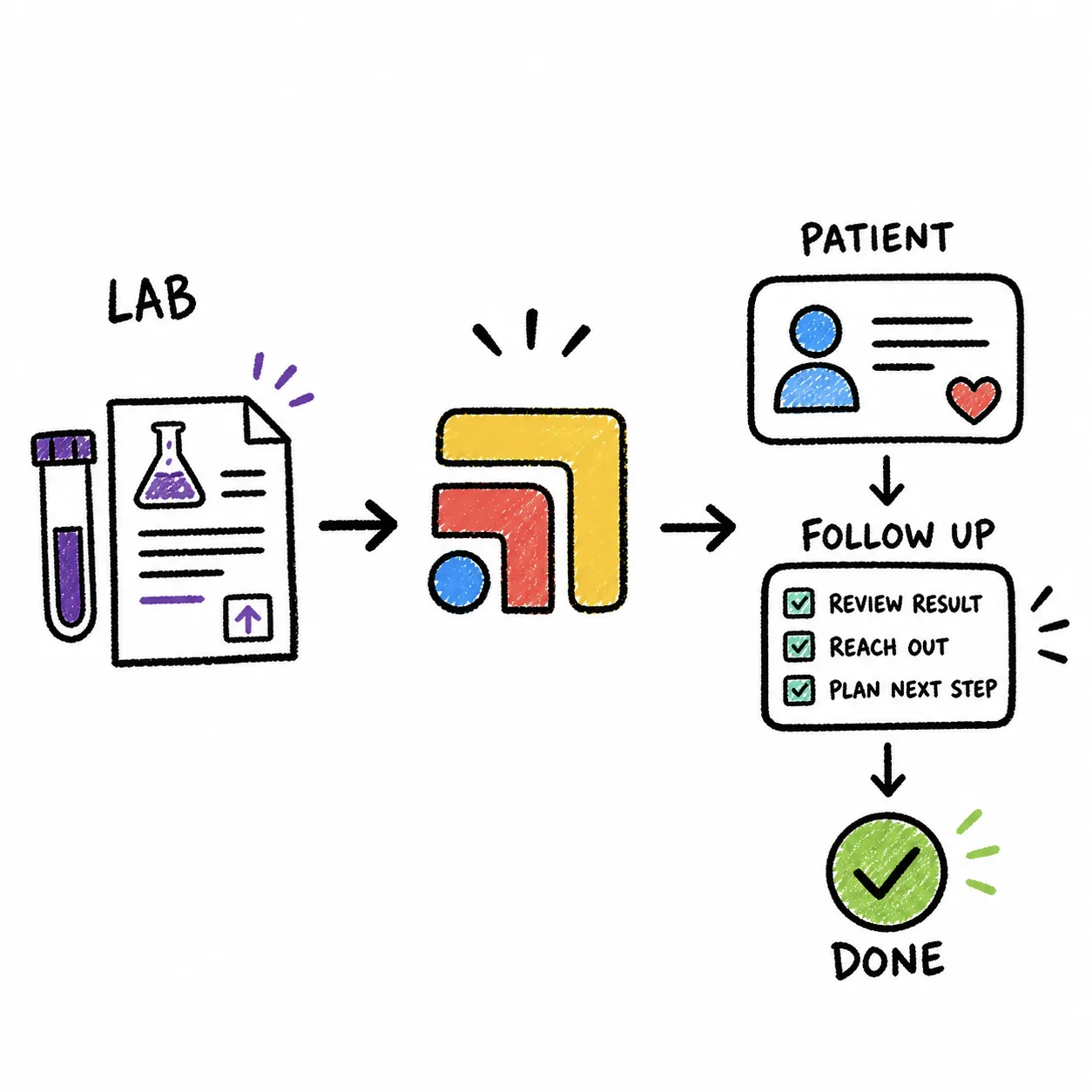
The rest of this guide covers why the gap exists between these tools, what each system can give you, how the matching actually works, what to flag, the HIPAA side, and where Tabflows fits for a growing direct primary care practice.
Why Lab Charges Drift Apart in Cerbo, Hint and the Lab Bill
Most DPC practices that use Cerbo and Hint together split the work sensibly. Hint runs the recurring membership billing, Cerbo holds the chart and the clinical work, and the lab draw happens somewhere in between. Cerbo's practice management page describes a custom charge list of the services and products you sell, with charges added to a patient's account from a search box, and pre-filled invoices built from those charges. Hint's developer documentation describes charges that each carry a category, with labs named as one of the standard category types, and says Hint prices each charge and routes it to the right invoice.
So a single lab panel can show up in up to three places. It appears on the Quest or LabCorp bill your practice receives each month, it may be charged to the patient in Cerbo, and it may be charged in Hint, depending on which system your team uses for ancillary charges. Hint's support article on the Cerbo integration is clear that the link between the two systems covers patients, demographics and the member's subscription plan, and that billing reports are generated separately in each system. None of that is a flaw in either product. They are tools that were never built to reconcile a third party's invoice, and the lab bill arrives in a format neither of them reads.
The result is a monthly gap that only a careful person catches. A draw that was never charged is revenue the practice already paid the lab for and never recovered. A charge with no matching lab line can mean the specimen was cancelled or sent to insurance, and the member may be owed a refund. A busy front desk can miss both, and the longer it waits, the harder each one is to explain to the member.
What Each System Gives You to Work With
Before any matching can happen, you need the three lists in a form a person or an automation can read.
- The lab bill. This is the monthly bill your practice receives from Quest or LabCorp for the tests billed to you. We couldn't confirm its layout on either lab's site, so start by looking at your own bill and noting which columns identify the patient, the test and the date, and treat your own statement as the source of truth.
- Cerbo's charges. Cerbo's page says its billing reports can be limited by type of service, provider, date range, paid or unpaid and more, and its built-in reporting can show how much the practice billed in a period by number and amount of charges. A billing report filtered to your lab charges for the month is the Cerbo side of the match.
- Hint's charges. If your practice puts labs on the member's Hint bill, the charges carry the labs category described in Hint's developer docs, so a report or export of lab-category charges for the month is the Hint side.
Once you have all three, the problem stops being "find the needle" and becomes a structured comparison, which is where AI and automation earn their keep.
How the Match Works, Step by Step
Here is the process a person, a spreadsheet or an automation follows. Writing it down first is worth doing even if you never automate it, because it makes the monthly check the same no matter who runs it.
- Pick the month and pull all three lists. Use the same date range for the lab bill, the Cerbo billing report and the Hint lab charges. A test drawn in the last days of a month can land on the next bill, so allow a few days of overlap at each end of the month.
- Normalize the patient. Match each line to one patient using what all three sources share, such as name and date of birth. The Cerbo and Hint integration already keeps demographics in sync between those two systems, which helps, and Hint's article notes a patient needs a first name, last name and date of birth to sync at all.
- Normalize the test. Map each lab's test names or codes to the charge items in your Cerbo charge list and your Hint charge items. This mapping is the step that takes the most care the first time and almost none after that.
- Match line by line. For each lab line, look for a charge for the same patient and test within a few days of the draw. For each charge, look back for a lab line.
- Check the amount. Compare what you charged against your own fee schedule for that test, so a pricing error shows up even when the line matched.
- Write up the flags. Every unmatched or mismatched line becomes a flag with the patient, the test, the dates and the reason it was flagged.
- Review and act. A named person reviews each flag, decides whether to add a charge, issue a refund, correct a price or dispute a lab line, and closes it out.
Steps 2 through 6 are where AI helps most. Matching messy names and test descriptions across three sources is tedious for a person and well suited to software, and the output is a short list instead of a long spreadsheet. Step 7 stays with your team, because charging a member or disputing a lab bill is a judgment call.
What Discrepancies the Reconciliation Should Flag
A good monthly match produces a small number of clear, actionable flags. These are the ones worth catching.
- Billed by the lab, never charged. The practice paid for the test and the member was never charged for it, so the cost was absorbed by accident.
- Charged, with no lab line. The member was charged but the lab didn't bill you, which can mean the test was cancelled, rejected or billed to insurance instead.
- Charged twice. The same test appears in both Cerbo and Hint for the same patient and date, the classic result of two billing systems running side by side.
- Price doesn't match. The line matched but the amount differs from your fee schedule for that test.
- Unknown patient. A lab line names someone you can't find in Cerbo or Hint, which usually points to a typo or a patient who was never fully registered.
Each flag type has a different owner and a different fix, so it helps to route them to the person who handles that kind of problem rather than to one shared inbox.
Comparing Your Options for Lab Bill Reconciliation
- Spreadsheet by hand. Who does the matching: A staff member. BAA needed: Covered by your own systems. Best for: Very low lab volume.
- Cerbo and Hint reports only. Who does the matching: A staff member, two reports. BAA needed: Already in place with each vendor. Best for: Checking one system at a time.
- General AI chatbot. Who does the matching: The chatbot, with staff checking. BAA needed: Yes, and many consumer plans lack one. Best for: Not recommended with patient data.
- Tabflows charge audit. Who does the matching: A built automation, staff review flags. BAA needed: Covered by Tabflows' standard BAA. Best for: Growing practices on Cerbo and Hint.
The spreadsheet works when there are only a handful of lab lines each month, and it is how most practices start. It gets harder as the membership grows, because the time it takes scales with every new member who has labs drawn, and it depends on one person remembering to do it. Running Cerbo's and Hint's reports side by side helps, but you are still the one comparing them, and neither report reads the lab bill.
Is It HIPAA Compliant to Use AI for This?
It can be, when every tool that touches the data is covered. A Quest or LabCorp bill that lists patients and tests is protected health information, and so are the Cerbo and Hint charge reports. HHS's guidance on HIPAA and cloud computing says a cloud service that creates, receives, maintains or transmits patient information on a covered entity's behalf is a business associate, which means it needs a BAA with your practice.
In practice that rules out pasting your lab bill into a personal chatbot account with no BAA. It also means asking any vendor you consider whether their BAA covers the specific product you'll use, and where the files go after the comparison runs. The safest setup keeps the files inside tools that are already covered and limits who can see the flags to the people who act on them.
Where Tabflows Fits
Tabflows is a dedicated tech team and smart admin infrastructure for DPC, concierge and private clinics. It isn't a billing system and it doesn't replace Cerbo, Hint or the people who run your billing. It works between those tools and turns the work between them into tracked tasks and automations.
For lab bills specifically, Tabflows has a charge audit that compares Cerbo and Hint to catch missed or mismatched charges, built on request for each clinic. If your clinic needs the monthly Quest or LabCorp bill added to that comparison, our engineers can build it into the same audit. The output is a short list of flags, each one a task with an owner and a due date, and your team reviews every flag before anyone charges a member, issues a refund or questions a lab line. Every clinic on Tabflows is covered by its standard BAA from sign-in.
The reason to care is simple. Lab costs a practice has already paid and never recovered come straight out of the margin a DPC membership depends on, and a refund issued promptly is part of the trust that keeps members renewing. A monthly match that runs the same way every time protects both, without asking your billing person to stare at three screens.
If you also want the background on splitting billing between the two systems, our guide to billing memberships in Hint and labs or vaccines in Cerbo covers what the integration syncs and how to choose. For the clinical side of labs, see how practices handle LabCorp results in a DPC.
A Natural Next Step
If you run Cerbo and Hint and the monthly lab bill is starting to take real time, the easiest way to see whether a charge audit fits is to tell us how your labs flow today. You can start with a quick match to see how Tabflows would work with your tools, or read about how Tabflows works with Cerbo and Hint. Pricing is on the pricing page.
Sources: cer.bo/features/features-practice-management, developers.hint.com/docs/creating-charges-and-invoices, support.hint.com/en/articles/2138135-cerbo-by-md-hq-integration and hhs.gov/hipaa/for-professionals/special-topics/health-information-technology/cloud-computing/index.html.
FAQs
Do Cerbo or Hint compare a Quest or LabCorp bill against our charges on their own?
Not that we could find. Cerbo's practice management page describes a custom charge list, invoices and billing reports you can filter by type of service, provider, date range and paid or unpaid, and Hint's developer docs describe charges that carry a category such as labs. Neither vendor's pages describe reading a lab company's monthly bill and comparing it line by line with what you charged, so that comparison is the step a person or an automation has to add.
Does the Cerbo and Hint integration sync lab charges between the two systems?
No. Hint's support article on the Cerbo integration says it syncs patients and their demographic and contact details and shows the member's subscription plan on the Cerbo chart, but it does not transfer payment information or transaction history. Billing reports are generated separately in each system, which is why a lab charge can sit in one and be missing from the other.
Can I paste our LabCorp or Quest bill into ChatGPT to find discrepancies?
Only if the tool is covered by a business associate agreement with your practice, because a lab bill that lists patients is protected health information. HHS says a cloud service that creates, receives, maintains or transmits patient information on a covered entity's behalf is a business associate, so it needs a BAA. A consumer chatbot account without one is the wrong place for that file.
What discrepancies should a lab bill reconciliation flag?
The useful flags are tests the lab billed you for that were never charged to the patient, charges in Cerbo or Hint with no matching line on the lab bill, the same test billed or charged twice, a charge whose price doesn't match your fee schedule for that test, and a lab line for a patient you can't find in either system. Each flag should go to a named person with a due date rather than sit in a spreadsheet.
How often should a DPC practice reconcile its lab bill?
Once a month, when the bill arrives, is the natural rhythm, because that is when the lab's side of the comparison exists. Practices with a high lab volume sometimes run a lighter weekly check of what was drawn against what was charged, so the monthly match has fewer surprises.
Where does Tabflows fit in lab bill reconciliation?
Tabflows is a dedicated tech team that works between the tools a clinic already uses. Its charge audit compares Cerbo and Hint to catch missed or mismatched charges and is built on request, and its engineers can add the monthly lab bill to that comparison. Your team reviews every flag before anything is charged, refunded or disputed, and every clinic is covered by Tabflows' standard BAA from sign-in.