
Which EHRs Are Known for the Fewest Clicks Per Visit?
If you are tired of clicking through 20 screens for one note, the honest answer is that no independent source publishes a clicks-per-visit ranking for the EHRs that solo and direct primary care doctors actually use. The EHR best known for designing around fewer clicks is Elation, which describes a three-panel console and unified workflows that reduce clicks and scrolling, and which was named Best in KLAS 2026 for small independent ambulatory practices. Hint and Atlas.md cut clicks a different way, by keeping the chart and membership billing in one system, and Cerbo and Akute let you build templates and automations that shorten repeat work. Research on EHR usability shows that how an EHR is set up can change the click count for the same task by as much as eight-fold, so setup matters as much as the brand. For many solo DPC doctors, a lot of those 20 screens are not in the EHR at all but in the messaging, billing, lab and scribe tools around it, and that in-between work is where Tabflows fits as a dedicated tech team, not as another EHR.
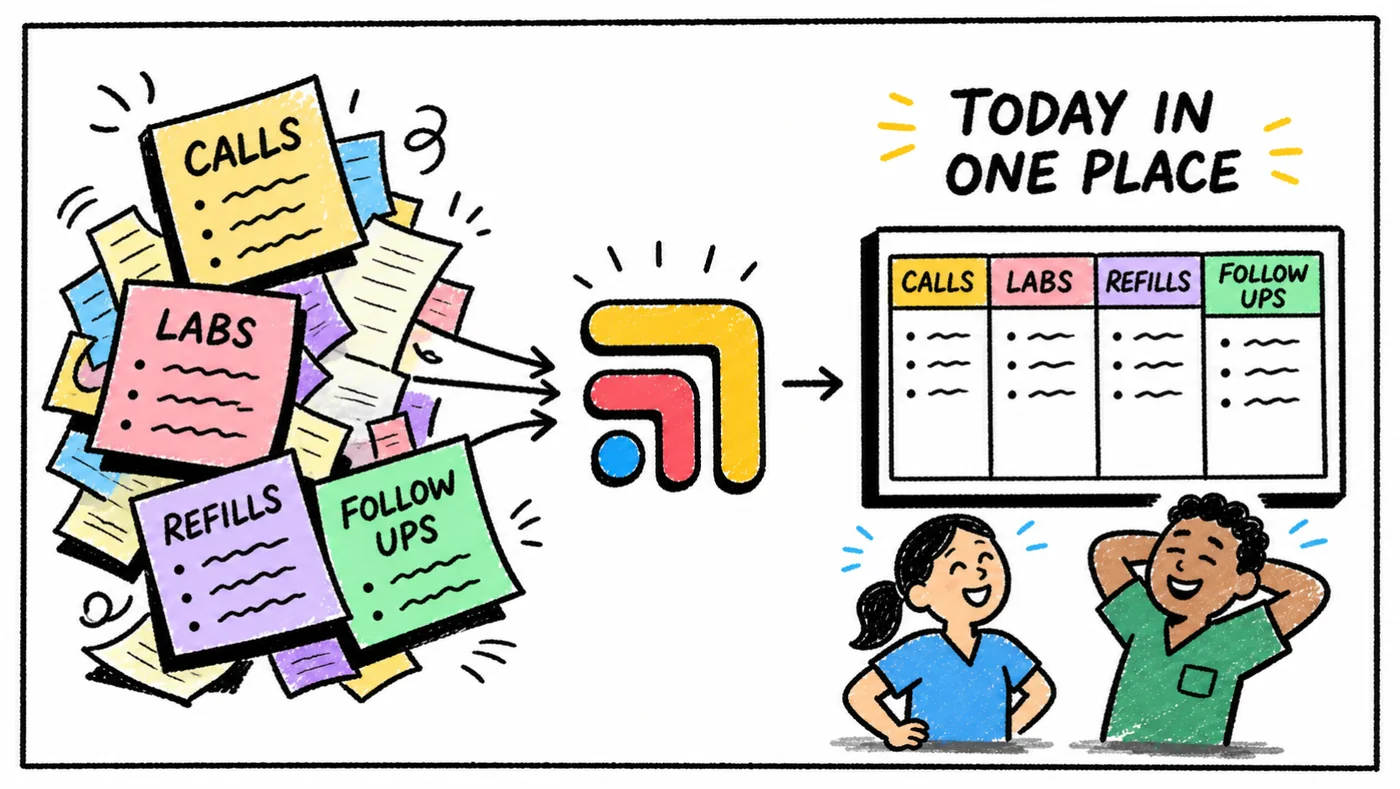
This guide walks through what the research says about clicks, how the EHRs DPC doctors commonly choose approach the problem, a simple way to count your own clicks, and what to change first if the screens you hate most live between your tools.
What the Research Says About EHR Clicks
The most cited study on this question is a multi-center usability and safety analysis published in the Journal of the American Medical Informatics Association in 2018 by Raj Ratwani and colleagues at the MedStar National Center for Human Factors in Healthcare. Twelve to 15 emergency medicine physicians at each of four health systems, two running Epic and two running Cerner, completed six clinical scenarios while the researchers recorded keystrokes, mouse clicks and video.
The findings are the part every frustrated clinician should know. There was wide variability in task completion time, clicks and error rates, and for certain tasks there was an average nine-fold difference in time and an eight-fold difference in clicks. Error rates also varied by task, for example from 16.7% to 25% on an X-ray order and from 0% to 30% on a Tylenol order. The authors concluded that EHR implementation, in addition to vendor design and development, is critical to usable and safe products.
That study looked at large hospital EHRs, not the cloud EHRs most DPC practices use, so it does not rank Elation, Hint or Atlas.md. What it does tell a solo doctor is useful anyway. The same software can feel fast in one clinic and slow in another, which means templates, order sets, default settings and the tools wired around the chart are worth as much attention as the logo on the login screen.
How DPC-Friendly EHRs Approach Fewer Clicks
None of the EHRs below publishes a clicks-per-visit number, and we did not invent one. The list summarizes what each vendor says on its own site about the parts of the product that shorten a visit, checked on the dates noted in the source comment at the top of this page.
- Elation. How it cuts clicks: Three-panel console, unified workflows, built-in AI tools. Best for: Charting-first clinicians.
- Hint. How it cuts clicks: Chart, billing and member portal on one record. Best for: Membership-first DPC.
- Atlas.md. How it cuts clicks: Billing, dispensing and correspondence in one DPC system. Best for: Solo clinics that dispense.
- Akute. How it cuts clicks: Custom chart templates and cohort automations. Best for: Owners who like building automations.
- Cerbo. How it cuts clicks: Chart Parts templates and intake that flows into the note. Best for: Integrative and supplement-heavy clinics.
Elation
Elation is the EHR in this group that talks most directly about clicks. Its EHR page describes an intuitive three-panel console and unified workflows that reduce clicks and scrolling to reduce documentation time, and says the clinical-first design delivers everything you need on one screen. Elation was named Best in KLAS 2026 for Small Practice Ambulatory EHR/PM, Independent (1 to 10 physicians), and its page says its native AI technology is included at no extra cost. If your 20 screens are mostly inside the chart itself, Elation is the first demo to book.
Hint and Atlas.md
Hint and Atlas.md take a different route to fewer clicks. Instead of a faster chart alone, they keep charting, membership billing and patient communication in one DPC-native system. Hint describes one patient record, one login and one member portal, with ePrescribing, lab orders, refills, scheduling, messaging and intake forms on the same record as billing. Atlas.md bundles membership billing, lab integrations, in-house dispensing and fax, phone, email and text with automatic tracking of patient correspondence. For a solo doctor who currently opens a separate billing tool after every visit, one system can remove more screens than a faster chart would.
Akute and Cerbo
Akute describes itself as an automation-first EHR with customizable charting, custom chart templates, task management and cohort automations, which suits owners who like to build their own shortcuts. Cerbo highlights Chart Parts, its reusable charting pieces, and says its intake forms can be pulled into the encounter note using flexible charting templates, which saves retyping history the patient already gave you. Both reward an afternoon of setup with shorter visits afterward.
Count Your Own Clicks Before You Switch
The only clicks-per-visit number that matters for your decision is your own, and it takes about an hour to get one. Counting first also tells you whether a new EHR would help, or whether the screens live somewhere else.
- Pick three ordinary visits. Choose a routine follow-up, a new member visit and a visit with a refill, a lab order and a message to send afterward.
- List every screen in order. From opening the chart to the last follow-up task, write down each tab, login, portal and pop-up you touch, and mark which tool it belongs to.
- Split the list in two. Put the screens inside your EHR on one side and the screens in other tools (billing, messaging, lab portals, scribe, fax, task lists) on the other.
- Ask the EHR question honestly. If most screens are inside the chart, book demos and run the same three visits in each EHR you are considering, counting the same way.
- Ask the in-between question too. If most screens are in other tools, a new EHR will not fix them, and connecting the tools you already have usually saves more clicks for less disruption.
When you run demos, bring your three visits written out and ask the vendor to walk through them live on a test patient. A rep's prepared demo is built to look short, while your own visit types show you where the chart actually slows you down.
Why So Many Clicks Live Between the Tools
A solo DPC doctor often runs a stack like Elation or Hint for the chart, Spruce for patient messages, a lab portal for results, a scribe for the note and a billing tool for memberships. Each of these is good at its own job, but they were never built to talk to each other. The note gets signed in one place, the refill request sits in another, the lab result arrives in a third and the follow-up lives in someone's memory.
That is how one visit turns into 20 screens even with a well-designed chart. The extra screens are copy and paste between tools, checking whether a message was answered, looking up a patient's membership status before a refill, and making a mental note to call about a result. Every one of them takes time away from the patient in front of you or from the evening you hoped to have, and in a membership practice that time is the thing members are paying for.
Where Tabflows Fits
Tabflows is not an EHR and does not try to win the fewest-clicks contest inside the chart. It is a dedicated tech team and admin infrastructure for DPC, concierge and private clinics that works across the tools you already use, including Elation, Hint, Spruce, Atlas.md, Akute and Cerbo. It gives you one shared place for patient context, tasks, follow-ups and handoffs, and turns the work between tools into tracked tasks and automations.
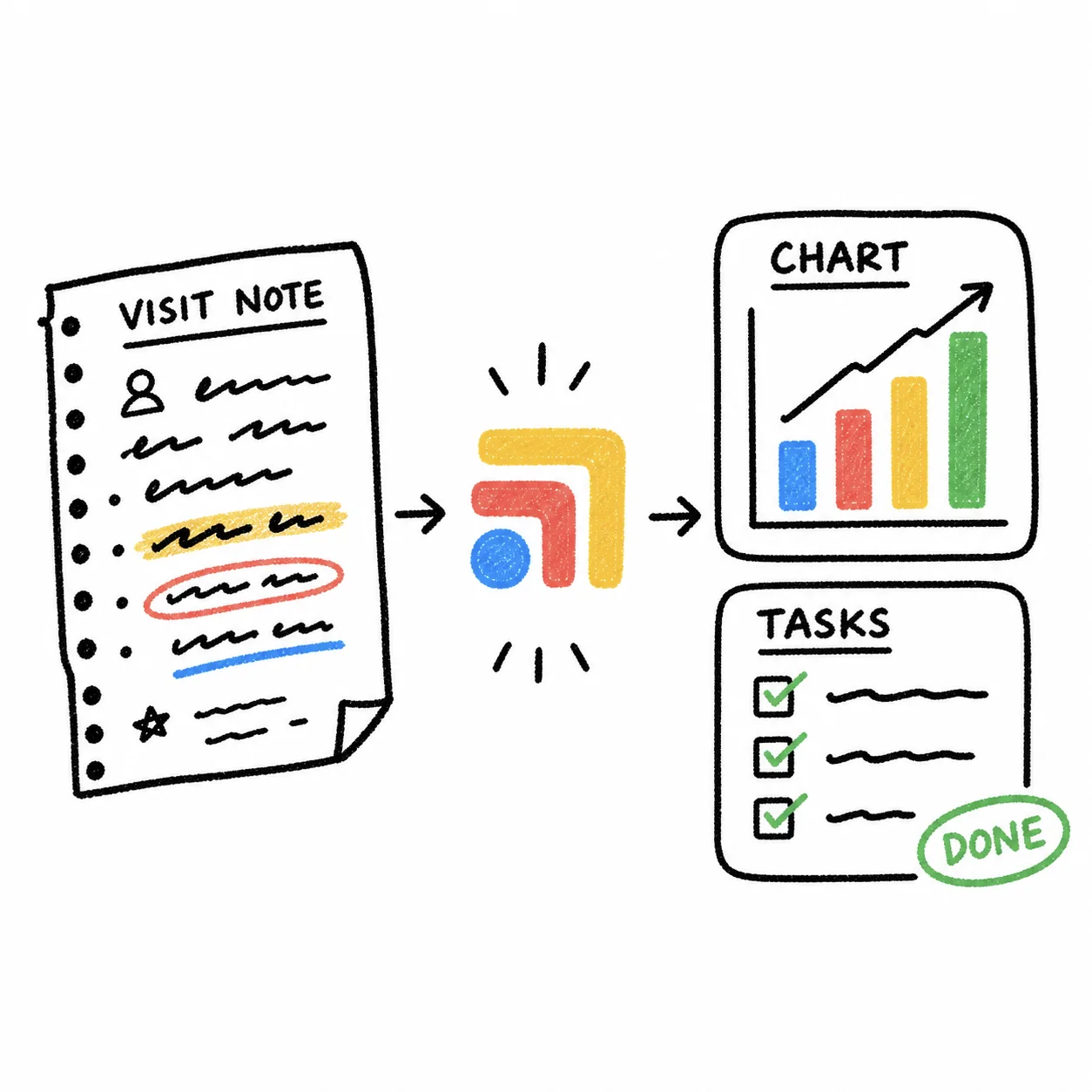
In practice that means the screens after the note get shorter. Our visit notes to tasks workflow turns a visit note into reviewed chart updates and follow-up tasks, so the refill, the lab order and the message to the patient do not each need their own trip through a separate tool. Your EHR stays your EHR, your clinical judgment stays yours, and the tech team sets up and runs the connections. Pricing is published on the pricing page.
What to Do Next
If your count shows most of the clicks inside the chart, book demos with the EHRs above and run your own three visits in each one. Our DPC EHR comparison for 2027 has prices and features for Elation, Hint, Atlas.md, Akute, Cerbo and Charm checked on each vendor's site.
If your count shows most of the clicks between your tools, you may not need a new EHR at all. Tell us what your stack looks like on the match page and we will show you which of those in-between screens a dedicated tech team can take off your plate.
Sources: elationhealth.com/platform/ehr, pmc.ncbi.nlm.nih.gov/articles/PMC7646875, cer.bo/who-we-serve/functional-and-integrative-medicine, cer.bo/implementation-contact-homework, hint.com/platform/emr, atlas.md/features and akutehealth.com.
FAQs
Which EHR has the fewest clicks per visit?
No independent source publishes a clicks-per-visit ranking for the EHRs small and direct primary care practices use. Among DPC options, Elation is the one that builds its pitch around fewer clicks, describing a three-panel console and unified workflows that reduce clicks and scrolling, and it was named Best in KLAS 2026 for small independent ambulatory practices. Hint and Atlas.md cut clicks a different way, by keeping charting and membership billing in one system so you open fewer tools per visit.
Does switching EHRs actually reduce clicks?
Sometimes, but setup matters as much as the brand. A multi-center study in the Journal of the American Medical Informatics Association found that physicians using the same two EHR vendors at four different health systems saw, for certain tasks, an average eight-fold difference in clicks and a nine-fold difference in time. The authors concluded that implementation, in addition to vendor design, is critical to usable and safe products.
How do I count the clicks in my own visits?
Pick three ordinary visits, such as a follow-up, a new member visit and a visit with a refill and a lab order. For each one, write down every screen, tab and login you touch from opening the chart to signing the note and finishing the follow-ups. The tally shows whether the clicks live inside your EHR or between your EHR, billing, messaging, lab portals and scribe.
Is Tabflows an EHR with fewer clicks?
No. Tabflows is not an EHR and does not replace your chart. It is a dedicated tech team and admin layer that works across the tools you already use, such as Elation, Hint, Spruce, Atlas.md, Akute and Cerbo, and turns the work between them into tracked tasks and automations so fewer of those 20 screens are yours to click through.
Should a solo DPC doctor switch EHRs to save clicks?
Switch if your EHR cannot do a core job you need, or if a demo of another chart on your own visit types is clearly shorter. If your chart is fine and most of the screens are messages, refills, labs and billing in other tools, connecting those tools is usually less disruptive than migrating every chart.