The phone software is only one piece
Medical phone answering software is usually judged by whether it catches the call.
Did the phone ring? Was the caller identified? Was the message captured? Did the right person get notified? Did the clinic avoid another voicemail pile?
Those are important questions, but they stop too early. The more valuable question is whether the call turned into finished work.
Most patient calls are not self-contained. They lead to scheduling, refill routing, billing clarification, lab follow-up, form completion, provider review, onboarding, records requests, or a future task. If the call log is separate from the rest of the clinic workflow, the team still has to translate that call into action.
What answering software often misses
A call log can tell you that someone called. It may even tell you what they said.
It usually does not tell the whole story. It may not show whether the patient has an open task, whether the request relates to a recent visit, whether a refill protocol applies, whether an appointment is already scheduled, whether the provider needs to review the draft reply, or whether another team member is already handling the same issue.
That is why clinics can have good phone software and still feel buried. The call is captured, but the work still lives everywhere else.
The right software layer is patient-linked
The best software around a medical answering service is patient-linked, not just call-linked.
When a call comes in, the clinic should be able to connect that message to the patient, see the relevant context, assign the next step, set a due date, route provider review when needed, and track the status until the loop is closed.
That matters even if the clinic uses a human answering service. It matters even more if the clinic uses a remote receptionist or VA. The farther the person taking the call is from the rest of the team, the more important the shared workflow becomes.
What to look for before buying another phone tool
Before adding phone software, write down what your team actually does after a call.
If the most common calls are scheduling questions, the clinic needs calendar context and a clear way to offer the right appointment without opening three systems. If refill calls are common, the team needs chart context, protocol rules, pharmacy details, provider review, and patient reply workflow. If many calls are about labs or forms, the clinic needs follow-up ownership and due dates more than it needs another call log.
This is the difference between communication software and operations software.
Communication software helps the patient reach you. Operations software helps the team finish what the communication created. A clinic may need both, but it should not confuse one for the other.
A simple checklist
Good phone workflow software should help the clinic answer a few basic questions without detective work.
Who is the patient? What did they ask for? Where is the relevant context? Who owns the next step? Does the provider need to review it? When is the follow-up due? Has the loop been closed?
If the software cannot answer those questions, the team will keep answering them manually. That is the expensive part. It may not appear as a line item, but it shows up as interruptions, callbacks, repeated patient searches, and work that gets re-explained over and over.
Where Tabflows fits
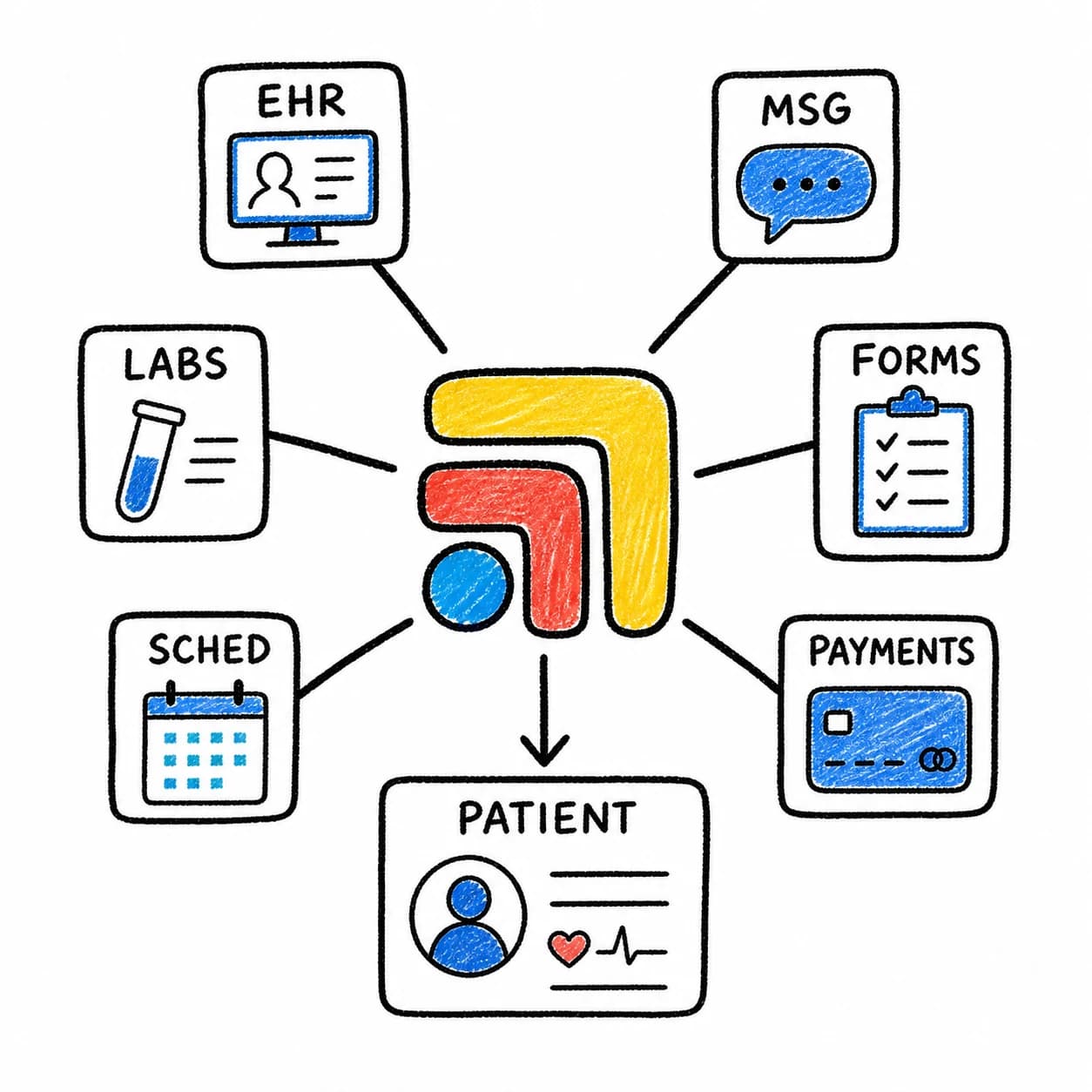
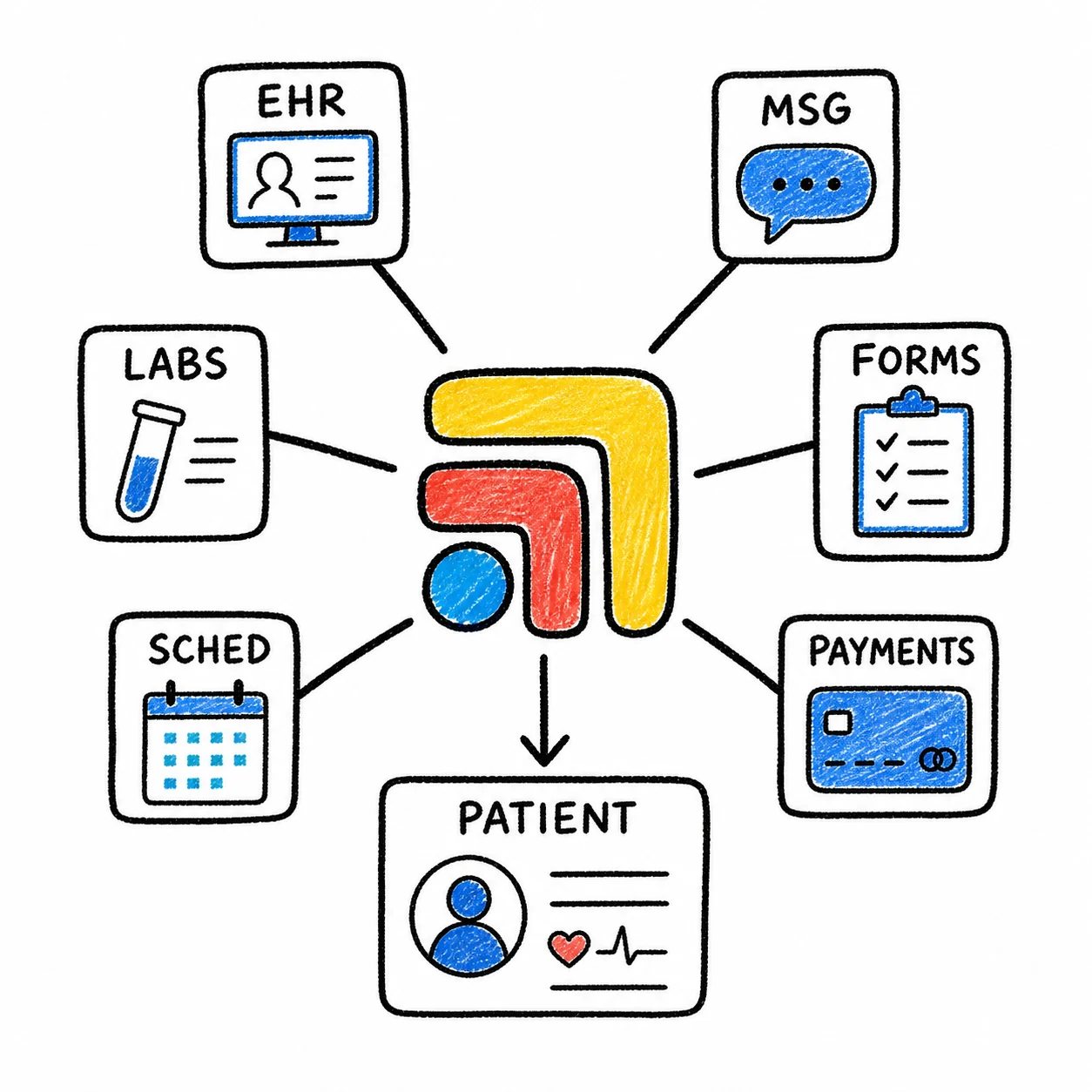
Tabflows is the workflow layer around your phone, EHR, calendar, billing system, inbox, and lab tools.
It does not need to replace the phone system. It gives the work created by the phone a place to land. That means a patient call can become a visible task, tied to context and ownership, instead of a message someone has to manually reassemble later.
For clinics using Weave or other patient communication tools, see Weave Rings. You Alt-Tab. There's a Better Way.. For clinics thinking about outsourced phone coverage, start with Before You Hire a Medical Answering Service, Fix the Work Behind the Call.
FAQ
What software should a clinic use with a medical answering service?
Clinics need software that connects call notes to patient context, tasks, owners, follow-up status, provider review, and the rest of the clinic stack.
Is call logging enough for medical phone workflows?
Call logging is useful, but it is not enough when calls create scheduling work, refill tasks, billing questions, provider review, or future follow-up.
How does Tabflows support phone answering workflows?
Tabflows helps clinics turn phone messages into patient-linked work with context, ownership, due dates, follow-up status, and AI-assisted draft work.
Try Tabflows free and give phone messages a place to become finished work.
FAQs
What software should a clinic use with a medical answering service?
Clinics need software that connects call notes to patient context, tasks, owners, follow-up status, provider review, and the rest of the clinic stack.
Is call logging enough for medical phone workflows?
Call logging is useful, but it is not enough when calls create scheduling work, refill tasks, billing questions, provider review, or future follow-up.
How does Tabflows support phone answering workflows?
Tabflows helps clinics turn phone messages into patient-linked work with context, ownership, due dates, follow-up status, and AI-assisted draft work.