The DPC Onboarding Problem Nobody Talks About
You finally found a great front desk hire. Smart, motivated, great with patients. Now you need to teach them your EHR, your lab portal, your messaging platform, your billing system, your e-prescribing tool, your patient communication app, and probably two other tools you forgot about until just now. Each one has its own login, its own interface, its own quirks, and its own way of doing things.
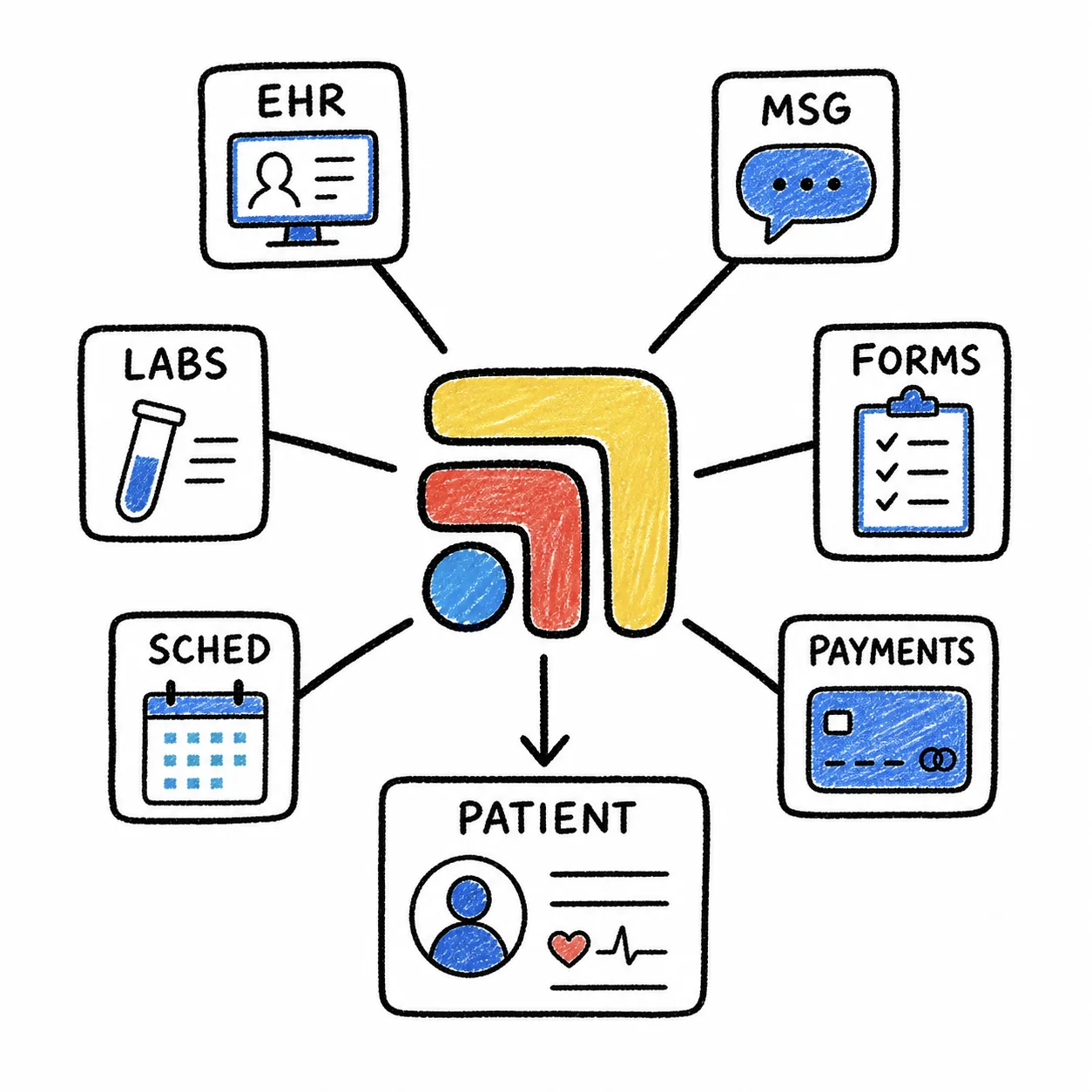
Most DPC practices handle this with a combination of screen-share sessions, hastily written Google Docs, and the classic "just watch me for a week." Three weeks later, your new hire is still asking which tab to use for lab results and which one is for patient messages. It's not their fault — you've asked them to memorize eight separate tools and the invisible workflow that connects them. That's a lot to hold in your head, especially when the "workflow" is really just a series of tab switches that you've internalized through months of repetition.
The Real Problem Isn't the Tools — It's the Space Between Them
Each individual tool in your DPC stack is usually pretty intuitive on its own. Spruce makes sense when you open it. Elation makes sense when you chart in it. The lab portal makes sense when you search for results. What doesn't make sense — especially to someone new — is when to use which tool, how they relate to each other, and in what order to move between them during a patient encounter.
That "space between tools" is your actual workflow, and it lives nowhere except in your head. There's no manual for it because it evolved organically over time. You added Spruce six months in, switched lab portals last year, and started using a new dispensary last month. Each change added a new tab and a new mental model that you absorbed gradually. Your new hire has to absorb all of it at once.
This is why DPC onboarding takes weeks instead of days. The cognitive load isn't learning eight tools — it's learning the relationships between eight tools while also trying to answer phones, greet patients, and not mess up anyone's billing.
Teach the Workflow, Not the Tools
Give Them a Map, Not a Scavenger Hunt
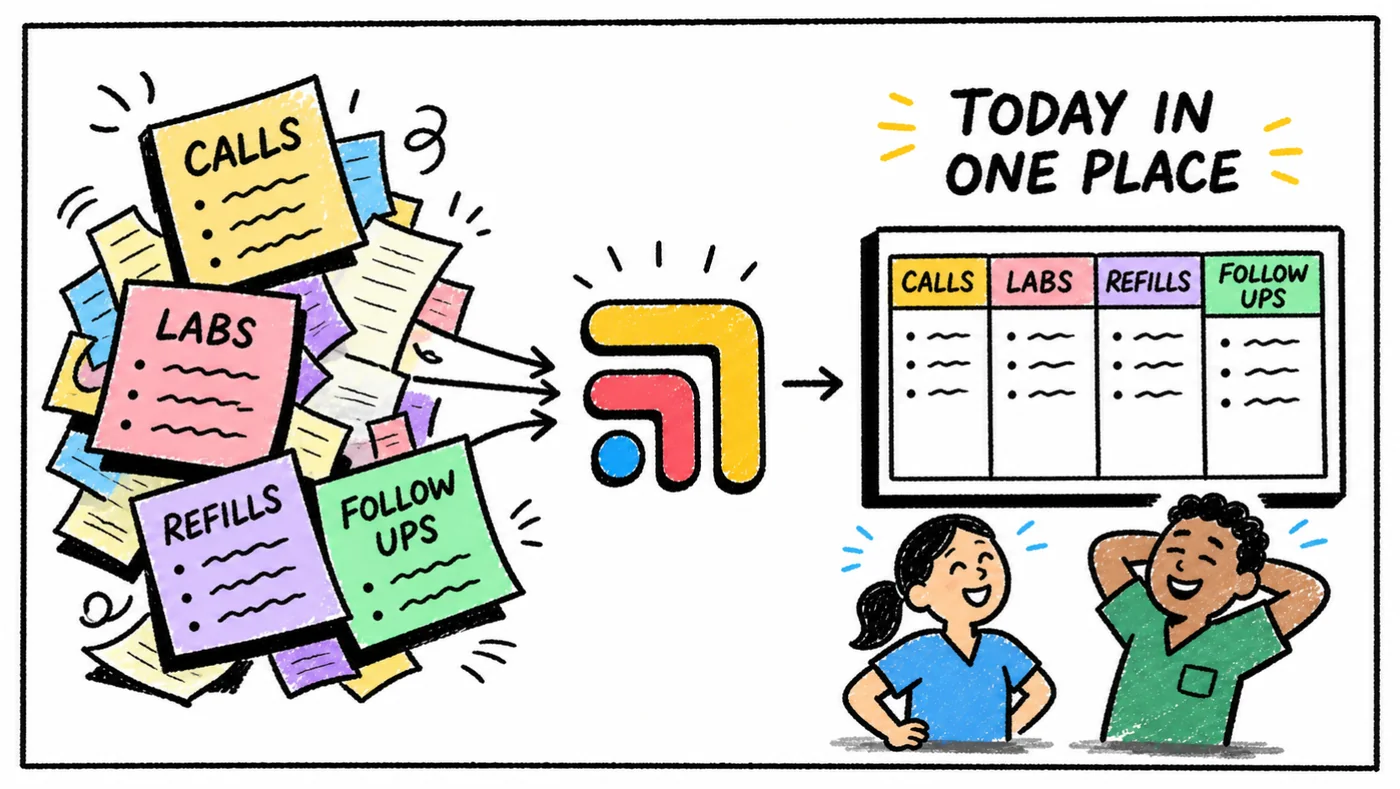
The fastest way to onboard someone into a multi-tool workflow is to make the workflow visible. Instead of saying "open Elation, then open the lab portal, then open Spruce," you show them a single screen where all three are already arranged and labeled. The spatial layout becomes the training material — they can see how the tools relate to each other because they're literally looking at them side by side.
This is what Tabflows does for DPC practices. You set up a workspace with your core tools arranged in the layout your team uses every day, and that workspace becomes the onboarding environment. New hires don't need to memorize which tab to click or which bookmark to open. They open one workspace and everything is right there, organized the way you want it.
Build Task-Specific Workspaces
Instead of one massive workspace with everything, create separate workspaces for distinct workflows. A "patient check-in" workspace with the scheduler, EHR, and insurance verification tools. A "lab review" workspace with the lab portal and EHR side by side. A "billing" workspace with your membership platform and payment tools. Each workspace is a self-contained training module — your new hire learns one workflow at a time instead of drowning in the full stack on day one.
This approach mirrors how people actually learn: one context at a time, with clear boundaries between tasks. When your front desk person switches from check-in to billing, they switch workspaces — and the screen changes to show exactly the tools they need. No hunting, no guessing, no "wait, which tab was that again?"
A Practical Onboarding Plan
Week 1: The Core Workspace
Start your new hire with just the primary patient visit workspace — EHR, messaging, and labs. Walk them through three patient encounters using the Tabflows layout as a visual guide. (Our setup guide walks through building that first workspace.) By the end of week one, they should be able to navigate the core workflow without asking which tool to open.
Week 2: Add Administrative Workflows
Introduce the billing workspace and the scheduling workspace. Show them how switching workspaces in Tabflows is like switching contexts — everything they need for that task appears, and everything they don't need disappears. This is dramatically easier than teaching someone to manage 12 browser tabs and remember which ones to look at for which task.
Week 3: Independence
By week three, your new hire has a set of workspaces that cover their daily responsibilities. They're not memorizing tools — they're opening the right workspace for the right task and following a visual layout that you designed. Questions drop off because the workflow is visible, not hidden inside a tab bar.
The Old Way vs. The New Way
The old way: "Okay, so for check-in you need to open this bookmark, then this bookmark, then log into this one — no, the other one — then search the patient name here, and also here, and also here. Got it? Great, now let me show you billing."
The new way: "Open the check-in workspace. Everything you need is on the screen. Patient name goes in the search bar on the left, and you'll see their info populate on the right. When you're done, switch to the billing workspace."
One of these approaches has your new hire productive in days. The other has them quietly panicking for weeks.
Stop Tab-Switching. Start Training.
Your staff shouldn't need a photographic memory to do their jobs. Tabflows turns your invisible, tab-based workflow into a visible, shareable workspace that new hires can learn by looking at it. Set up your workspaces once, share them with your team, and watch onboarding go from weeks of hand-holding to days of confidence. Try Tabflows and give your next hire a fighting chance.